Limited-Time 40% OFF!Get Offer
New — Qwen Image 2.1 · try free with signup credits

Qwen Image 2.1 Quality stills and precise edits — try free

Make a product shot with a readable price, a poster with a short headline, or edit one thing on a photo. Text to image and image to image online.

Open Qwen Image 2.1 when the still has to look finished: a product shot with a readable price, a poster with a short headline, a photo you want to change without wrecking the face. Write the prompt or upload the photo. Signup credits cover a default 1K start.

  • Product stills with a readable price
  • Short labels that stay intentional
  • Edit one thing, keep the rest
  • Text to image + image to image
  • Free trial with signup credits
  • 1K to try; 2K or 4K to finish
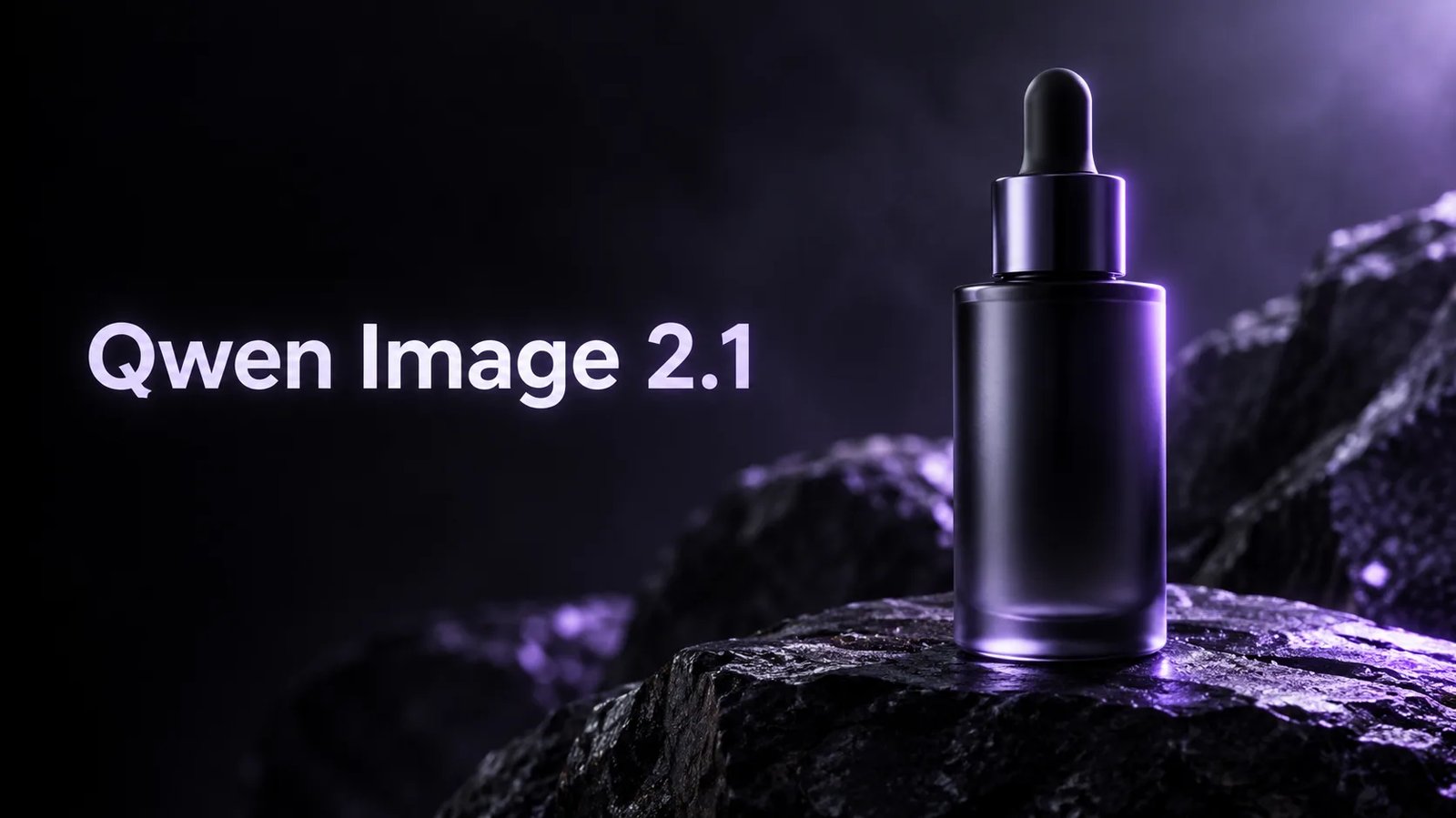
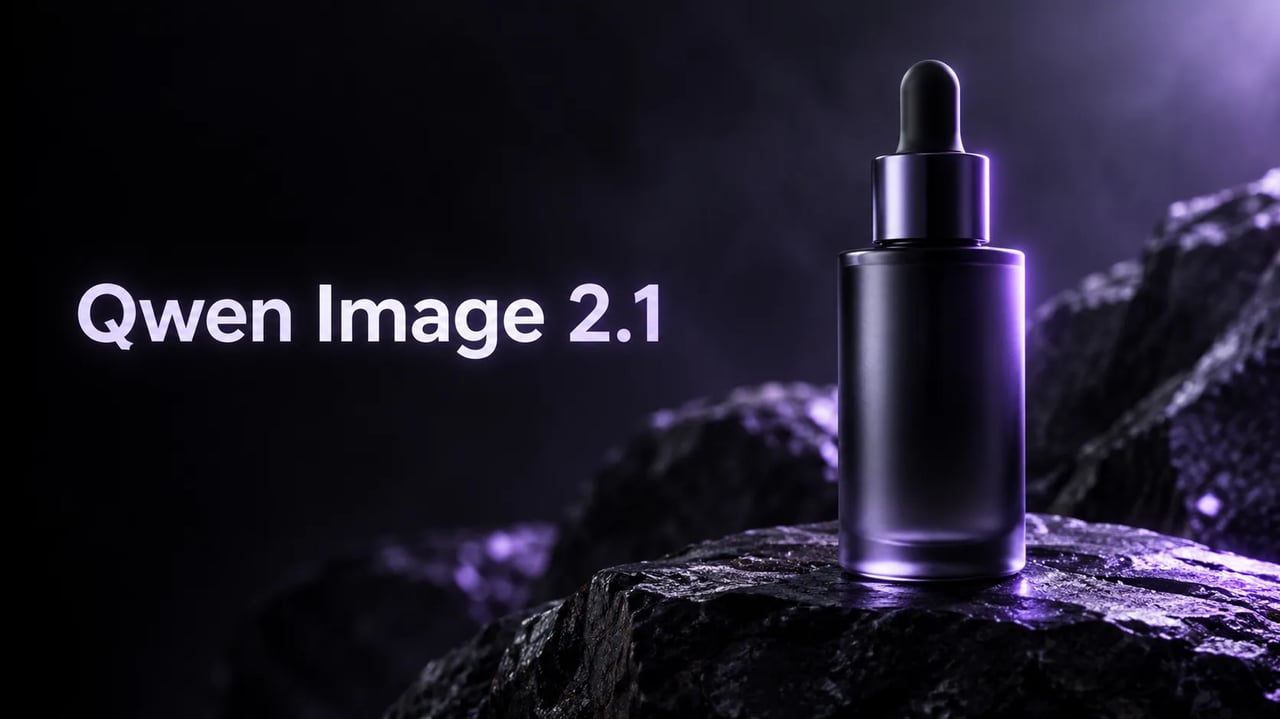
Qwen Image 2.1 product hero — left type title Qwen Image 2.1 and a glass dropper bottle
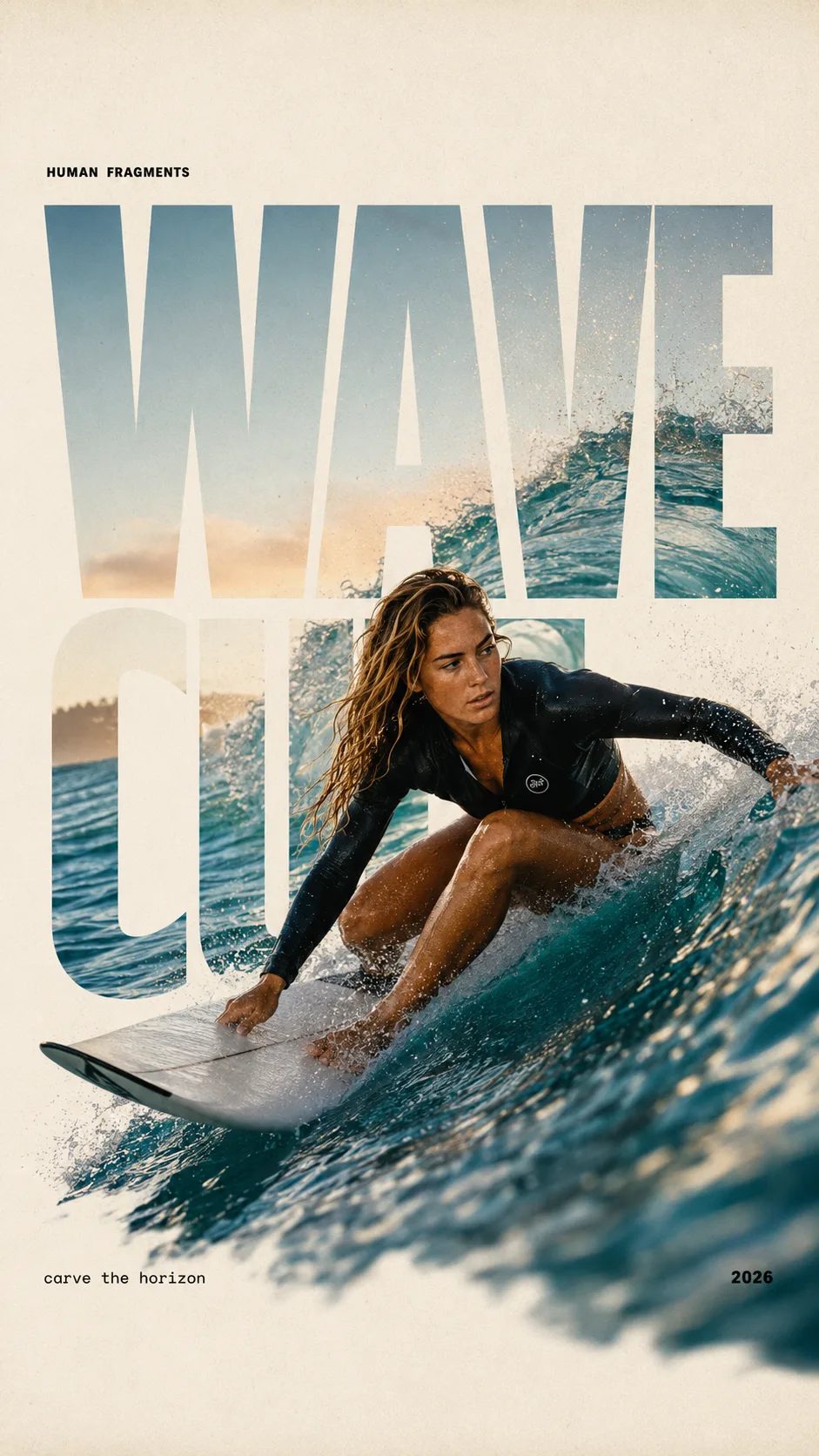
HUMAN FRAGMENTS editorial poster sample

Create a 9:16 editorial poster in the HUMAN FRAGMENTS visual system. Theme: [surfing / basketball / boxing / cake decorating] Subject: [gender, age, appearance, outfit] Action: [specific movement or handcraft] Scene: [location and environment] Title: [custom two-word title] Supporting line: [one short phrase] Year: 2026 Use oversized cropped typography as the main structural framework. The letters should act as windows that reveal the surrounding environment, while the main person remains visually complete in front of the type. Do not let the letters cut through the face, torso, arms, thighs, or other important parts of the body. Let one key action element break beyond the typography to create strong depth: 1. WAVE CUT — a surfer carving across a rising wave, with the board nose, hand, water spray, and curled wave breaking outside the letters. 2. RIM RISE — a basketball player reaching toward the hoop from a camera placed above the rim, with the basketball, hand, and hoop fully outside the letter masks and aligned naturally. 3. IMPACT FRAME — a boxer throwing a straight punch toward the camera, with the foreground glove enlarged and breaking beyond the typography while the gym remains inside the letters. 4. SOFT SWIRL — a graceful young woman decorating a cake, with the piping bag, hands, cake, and cream details extending beyond the letters while the bakery interior appears inside the type. Use realistic photography, believable anatomy, natural skin texture, strong foreground perspective, subtle paper grain, a warm off-white background, restrained colors, and clean editorial spacing. Keep the text minimal and freely placed: [Title] HUMAN FRAGMENTS [Short supporting line] 2026

Create a 9:16 editorial poster in the HUMAN FRAGMENTS visual system. Theme: [surfing / basketball / boxing / cake decorating] Subject: [gender, age, appearance, outfit] Action: [specific movement or handcraft] Scene: [location and environment] Title: [custom two-word title] Supporting line: [one short phrase] Year: 2026 Use oversized cropped typography as the main structural framework. The letters should act as windows that reveal the surrounding environment, while the main person remains visually complete in front of the type. Do not let the letters cut through the face, torso, arms, thighs, or other important parts of the body. Let one key action element break beyond the typography to create strong depth: 1. WAVE CUT — a surfer carving across a rising wave, with the board nose, hand, water spray, and curled wave breaking outside the letters. 2. RIM RISE — a basketball player reaching toward the hoop from a camera placed above the rim, with the basketball, hand, and hoop fully outside the letter masks and aligned naturally. 3. IMPACT FRAME — a boxer throwing a straight punch toward the camera, with the foreground glove enlarged and breaking beyond the typography while the gym remains inside the letters. 4. SOFT SWIRL — a graceful young woman decorating a cake, with the piping bag, hands, cake, and cream details extending beyond the letters while the bakery interior appears inside the type. Use realistic photography, believable anatomy, natural skin texture, strong foreground perspective, subtle paper grain, a warm off-white background, restrained colors, and clean editorial spacing. Keep the text minimal and freely placed: [Title] HUMAN FRAGMENTS [Short supporting line] 2026
When Qwen Image 2.1 is the right still

One finished still — a product shot, a short-headline poster, or a precise photo edit — not a dense board.

Qwen Image 2.1 is the model to open when the job is one finished still, not a dense board. A serum bottle with a short label. A one-line campaign poster. A product photo where the glass color changes and the type stays put. Signup credits cover a default 1K start. No card is required to try. Paid plans add volume and commercial use.

Copy a brief

Three Qwen Image 2.1 prompts you can run

Copy one, open the generator, and try free with signup credits. Quote the on-image words.

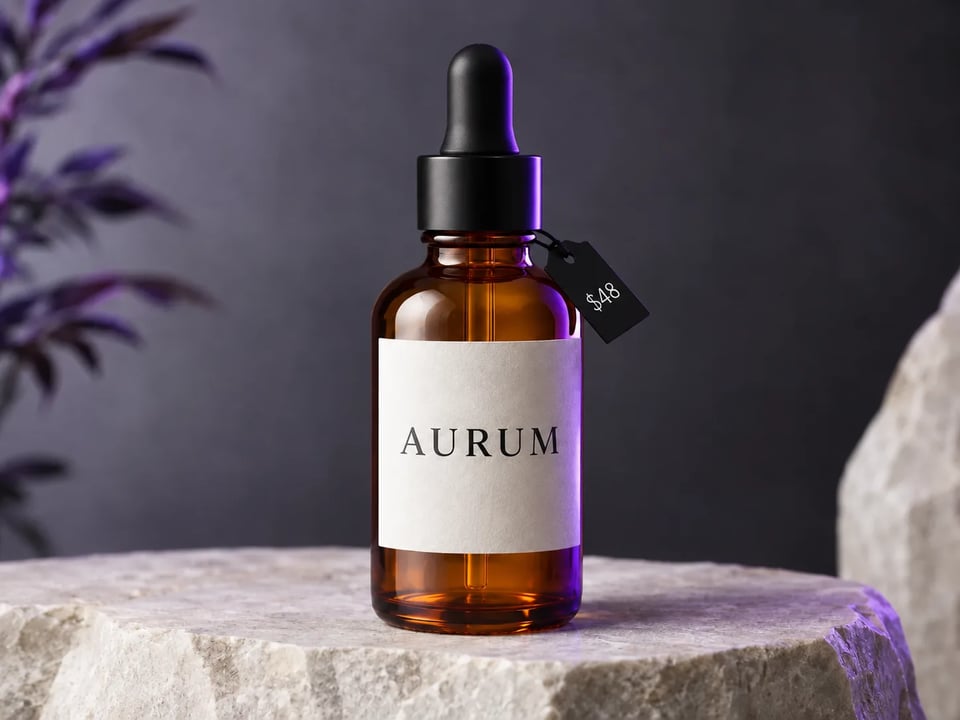
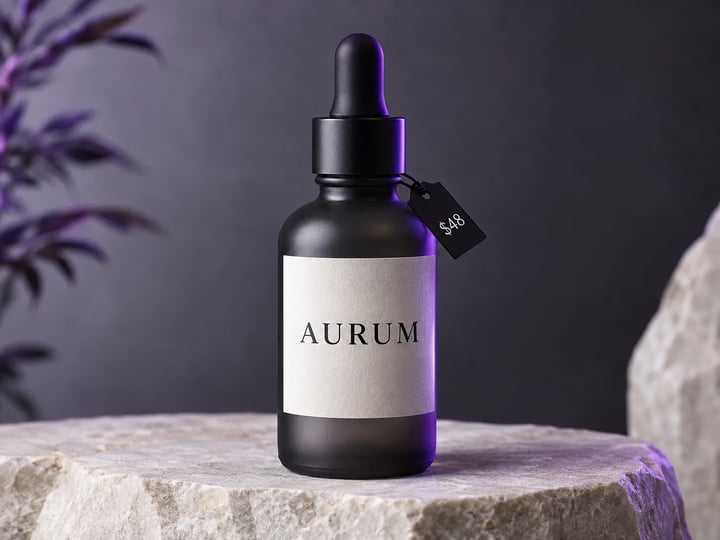
Studio still of a charcoal glass serum bottle with AURUM and a $48 tag
Reference image
4:3

Example prompt output

Serum bottle with a price

A clean studio product photo of a matte charcoal glass serum bottle on a pale stone slab, short English label reading AURUM and a small price tag $48, soft violet rim light, high readability, no extra text

Layout Product hero Job Catalog still
Use this prompt
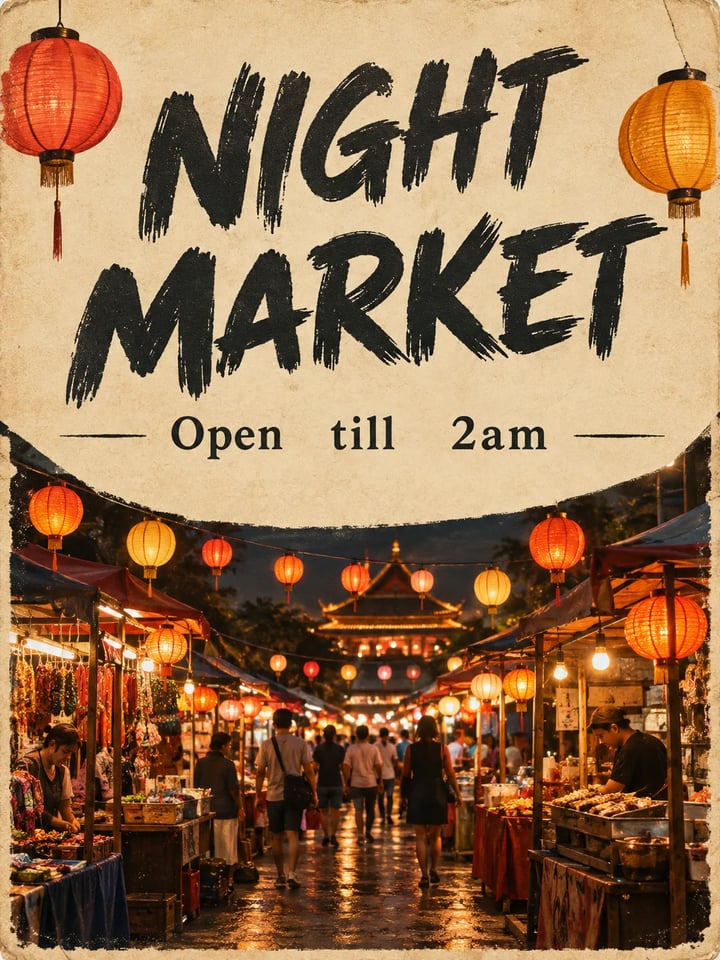
Campaign poster with NIGHT MARKET headline, Open till 2am, and a lantern-lit stall
Reference image
3:4

Example prompt output

Night-market poster

Premium campaign poster, short English headline NIGHT MARKET, one line subhead Open till 2am, lantern-lit food stall at dusk, cream paper texture, crisp readable type, no extra paragraphs

Languages English Job Poster
Use this prompt
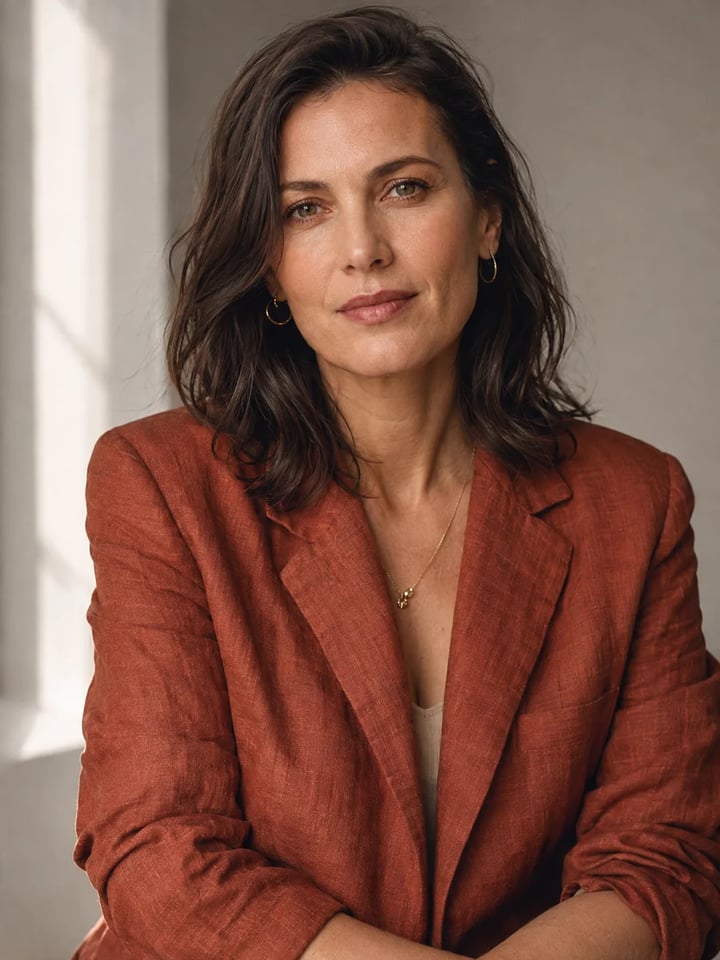
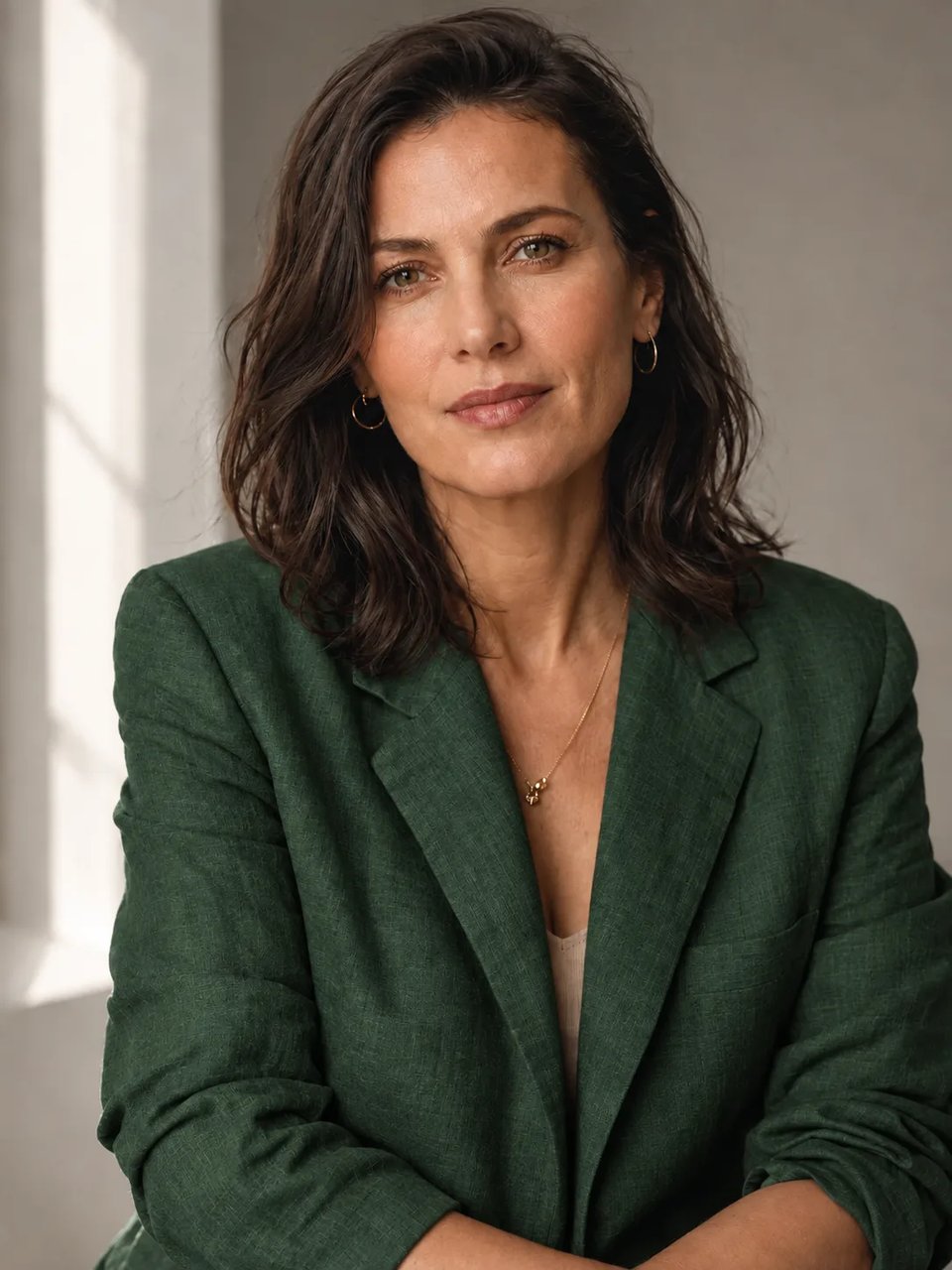
Editorial portrait of an adult woman in a rust linen jacket, window light, no on-image text
Reference image
3:4

Example prompt output

Editorial portrait

A finished editorial portrait of an adult woman in a rust linen jacket, window light, shallow depth of field, natural skin texture, no text, magazine-cover stillness

Job Portrait Text None
Use this prompt

Image to image

Edit one thing with Qwen Image 2.1

Upload the still, name the one change, keep the rest. Originals below are the text-to-image samples from the previous section.

Same serum bottle with amber glass; AURUM and $48 unchanged

Original

Original charcoal serum bottle still

Prompt

Change only the glass to warm amber. Keep the same bottle, crop, AURUM label, and $48 tag. Do not add new text.

Capabilities

What you can make with Qwen Image 2.1

Four jobs this generator is built for: a catalog still, short on-image words, a one-thing edit, and a higher-resolution finish.

Get a product still with a readable price

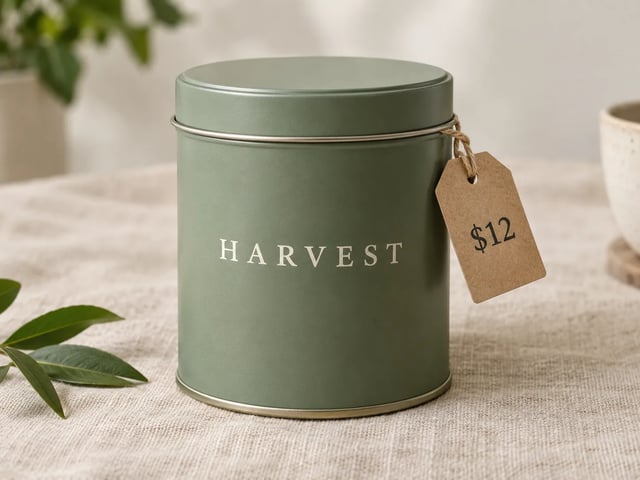
A listing hero needs a bottle, a tin, or a box that looks like it could sit on a product page. Qwen Image 2.1 text to image is the path when you do not have a photo yet. Put the brand word and the price in quotes in the prompt, generate at 1K, and check the type before you raise resolution.

Matte tea tin on linen with HARVEST on the tin and a $12 tag

Keep short on-image words intentional

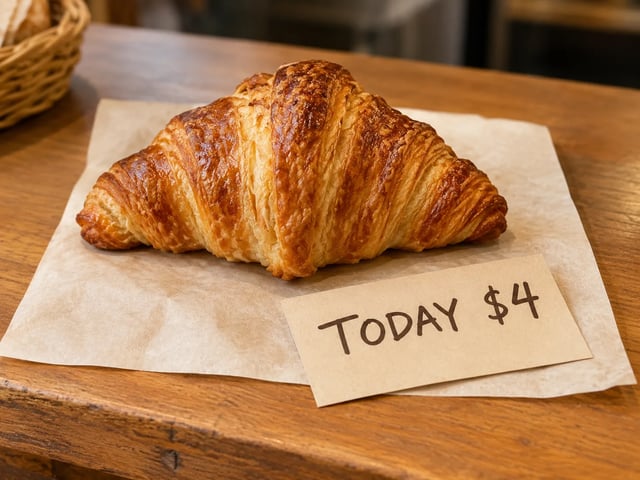
Short English on a label, a tag, or a two-line poster is the useful case. Tell Qwen Image 2.1 the exact words. Keep the line short. If a letter breaks, shorten the line rather than stacking more type.

Bakery counter card with TODAY $4 and a single pastry, type readable

Change one part of a photo, keep the rest

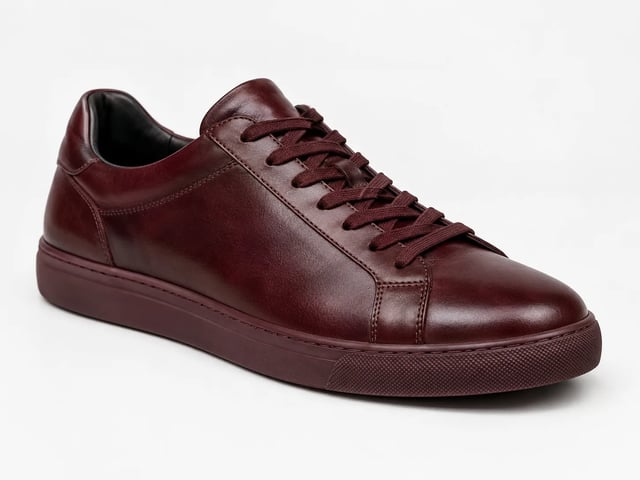
Image to image is a surgical pass. Upload the still, say what must change and what must stay, then inspect identity, type, and crop. If you need a new scene, start a text-to-image run instead of forcing a rewrite. Failed runs refund credits automatically.

White leather sneaker restyled to oxblood; same shoe shape and lighting

Try at 1K, finish at 2K or 4K

1K is the default so a signup trial can cover one Qwen Image 2.1 still. When a winner is worth finishing, raise the same prompt to 2K or 4K.

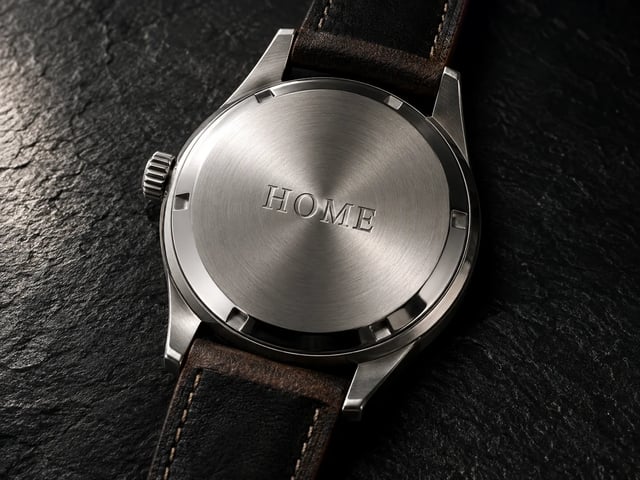
Close-up watch still with crisp metal and a short engraved word HOME
How it works

Make a Qwen Image 2.1 still in three steps

Open this page, describe the job, download or refine.

  1. 1

    Open Qwen Image 2.1

    This page already has Qwen Image 2.1 selected. Sign up once to load free credits — no card required to start a default 1K run.

  2. 2

    Write a prompt or upload a photo

    Describe the still in plain words for text to image. For image to image, upload a reference and name the one change. Quote any words that must appear.

  3. 3

    Generate, check text, finish

    Review labels and faces. Run another pass or raise resolution to 2K or 4K when a winner is worth finishing. Paid plans unlock commercial use.

When to open Qwen Image 2.1

Same generator — four jobs where one finished still matters more than a dense board.

  • Product listers

    Need a catalog still with a short name and a price before the photoshoot is booked. Generate with Qwen Image 2.1 at 1K, then finish the winner.

  • Campaign designers

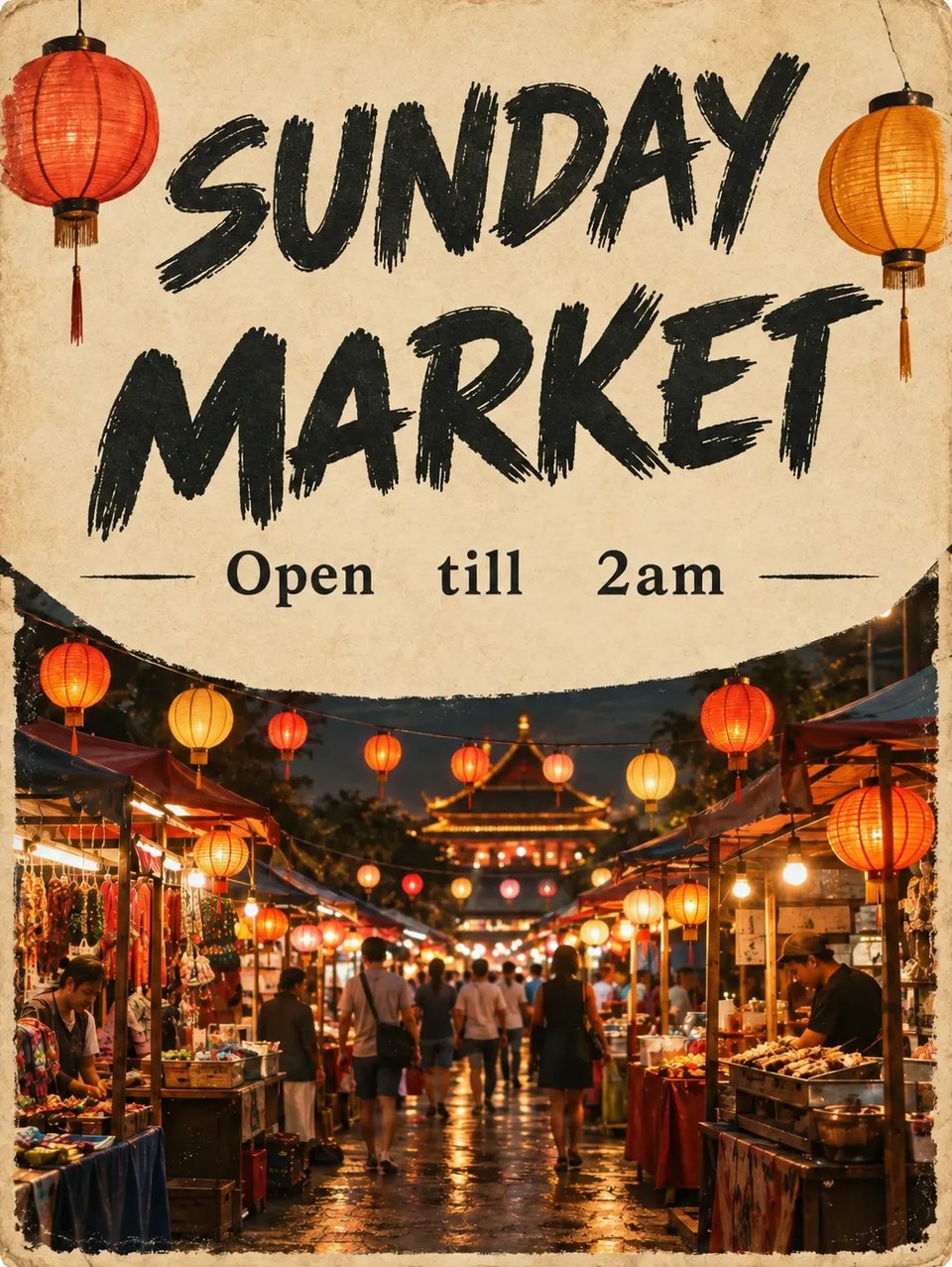
    Need a one-headline poster for a night market, a drop, or a weekend hours change. Keep the type to two short lines.

  • Photo editors

    Have a good still and only want a new colorway or a new jacket, not a new person. Use Qwen Image 2.1 image to image and name what must stay.

  • Social leads

    Need a square or portrait cover with one readable line.

Series guide

Qwen Image 2 vs Qwen Image 2.1 vs Qwen Image 3

All three run in the Qwen Image X picker. This page opens Qwen Image 2.1.

Fast Qwen Image 2 Faster draft lane Open Image 2
New Qwen Image 2.1 Quality stills · precise edits Try Image 2.1 free
Default Qwen Image 3 Dense · sharp · multi-language Open Image 3
Best first use Quick style drafts and everyday stills Product heroes, short-headline posters, one-thing photo edits Multi-panel boards, tiny text, multi-language posters
Text in image Short labels on drafts Short quoted words on labels and two-line posters Fine type and dense columns
Layout density Simpler single-scene stills One finished still, not a 3×3 board Long prompts and multi-region boards
Sizes Draft stills 1K to try; 2K or 4K to finish 1K default; 2K to finish
FAQ

Questions about Qwen Image 2.1

When should I open Qwen Image 2.1 for a product still?

Open Qwen Image 2.1 when you need one finished still: a product shot with a readable price, a short-headline poster, or a photo with one change.

Can I try Qwen Image 2.1 free with signup credits?

Yes. New accounts get signup credits that can cover a default 1K Qwen Image 2.1 still. No card is required to start. Buy credits or subscribe when you need more volume or commercial licensing.

How does Qwen Image 2.1 text to image keep short labels readable?

Quote the exact words in the prompt — brand, size, price, or a two-line headline. Generate Qwen Image 2.1 at 1K and check spelling before you raise the size. Keep the on-image line short.

How do I run Qwen Image 2.1 image to image on one detail?

Upload the still, name the one change, and name what must stay (face, label, crop). Generate with Qwen Image 2.1, then compare with the original. If type or identity drifted, shorten the keep-list and run again.

Qwen Image 2 or Qwen Image 2.1 — which should I try first?

Use Qwen Image 2 when you want a fast draft. Use Qwen Image 2.1 when the still has to look finished and you care about short on-image words or a precise edit. Both sit in the same picker.

When is Qwen Image 3 a better pick than Qwen Image 2.1?

When the still is a dense layout: storyboards, exam sheets, bilingual posters with many small titles. Qwen Image 2.1 stays on single stills, short labels, and one-thing edits.

What sizes can I export from Qwen Image 2.1?

Start Qwen Image 2.1 at 1K. When a winner is worth finishing, raise the same prompt to 2K or 4K.

Can I use Qwen Image 2.1 stills in paid ads?

Commercial use is on paid plans. The signup trial is for trying Qwen Image 2.1. Upgrade if the still will run in ads, listings, or client work.

Get started

Try Qwen Image 2.1 free online

Signup credits, quality stills, readable labels, text to image and image to image — no card required to start.