Limited-Time 40% OFF!Get Offer
New — Qwen Image 3.0 · free trial with signup credits

Qwen Image 3 Dense layouts & sharp text — try free

Make multi-panel boards, tiny readable labels, and multi-language posters. Text to image and image to image online.

Qwen Image 3 is the default model on Qwen Image X — a free online generator for stills that need organized layouts and clear on-image text. Write a long brief or upload a photo and say what to change. Signup credits cover a default-tier start; paid plans add volume and commercial use.

  • Dense multi-panel boards in one still
  • Small text that stays readable
  • Multi-language poster and UI-style layouts
  • Text to image + image to image
  • Free trial with signup credits
  • 1K default; 2K when you finish
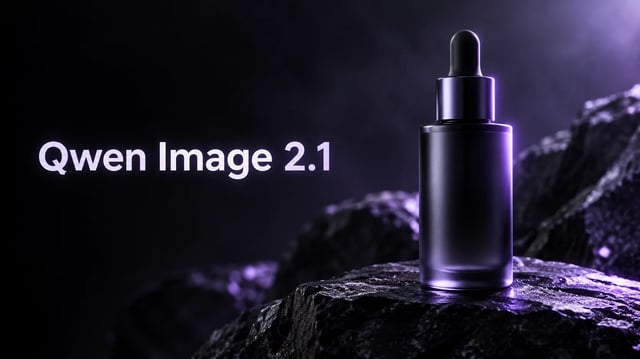
Qwen Image 3 product hero — left type title and amethyst multi-panel glass sculpture
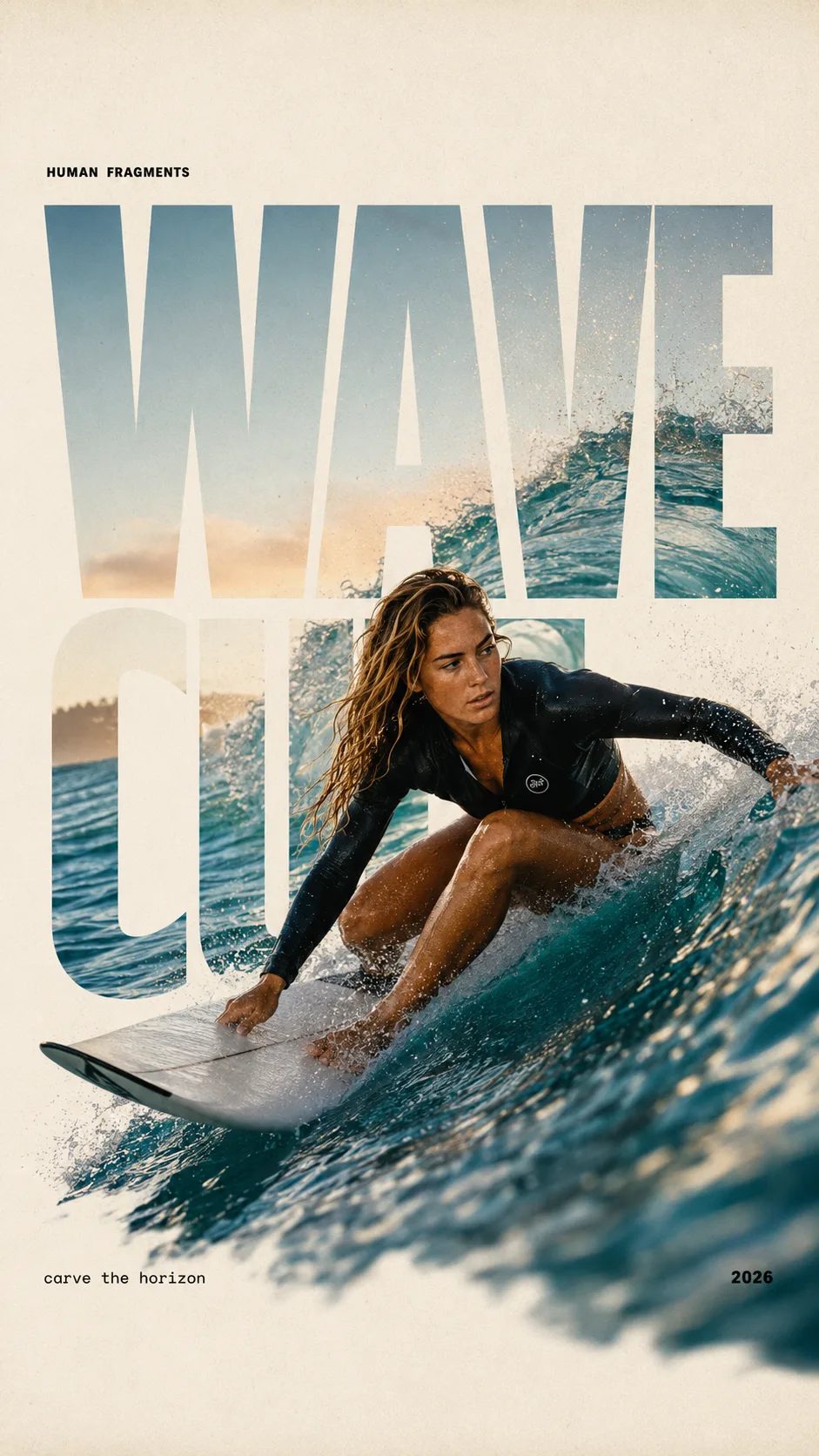
HUMAN FRAGMENTS editorial poster sample

Create a 9:16 editorial poster in the HUMAN FRAGMENTS visual system. Theme: [surfing / basketball / boxing / cake decorating] Subject: [gender, age, appearance, outfit] Action: [specific movement or handcraft] Scene: [location and environment] Title: [custom two-word title] Supporting line: [one short phrase] Year: 2026 Use oversized cropped typography as the main structural framework. The letters should act as windows that reveal the surrounding environment, while the main person remains visually complete in front of the type. Do not let the letters cut through the face, torso, arms, thighs, or other important parts of the body. Let one key action element break beyond the typography to create strong depth: 1. WAVE CUT — a surfer carving across a rising wave, with the board nose, hand, water spray, and curled wave breaking outside the letters. 2. RIM RISE — a basketball player reaching toward the hoop from a camera placed above the rim, with the basketball, hand, and hoop fully outside the letter masks and aligned naturally. 3. IMPACT FRAME — a boxer throwing a straight punch toward the camera, with the foreground glove enlarged and breaking beyond the typography while the gym remains inside the letters. 4. SOFT SWIRL — a graceful young woman decorating a cake, with the piping bag, hands, cake, and cream details extending beyond the letters while the bakery interior appears inside the type. Use realistic photography, believable anatomy, natural skin texture, strong foreground perspective, subtle paper grain, a warm off-white background, restrained colors, and clean editorial spacing. Keep the text minimal and freely placed: [Title] HUMAN FRAGMENTS [Short supporting line] 2026

Create a 9:16 editorial poster in the HUMAN FRAGMENTS visual system. Theme: [surfing / basketball / boxing / cake decorating] Subject: [gender, age, appearance, outfit] Action: [specific movement or handcraft] Scene: [location and environment] Title: [custom two-word title] Supporting line: [one short phrase] Year: 2026 Use oversized cropped typography as the main structural framework. The letters should act as windows that reveal the surrounding environment, while the main person remains visually complete in front of the type. Do not let the letters cut through the face, torso, arms, thighs, or other important parts of the body. Let one key action element break beyond the typography to create strong depth: 1. WAVE CUT — a surfer carving across a rising wave, with the board nose, hand, water spray, and curled wave breaking outside the letters. 2. RIM RISE — a basketball player reaching toward the hoop from a camera placed above the rim, with the basketball, hand, and hoop fully outside the letter masks and aligned naturally. 3. IMPACT FRAME — a boxer throwing a straight punch toward the camera, with the foreground glove enlarged and breaking beyond the typography while the gym remains inside the letters. 4. SOFT SWIRL — a graceful young woman decorating a cake, with the piping bag, hands, cake, and cream details extending beyond the letters while the bakery interior appears inside the type. Use realistic photography, believable anatomy, natural skin texture, strong foreground perspective, subtle paper grain, a warm off-white background, restrained colors, and clean editorial spacing. Keep the text minimal and freely placed: [Title] HUMAN FRAGMENTS [Short supporting line] 2026

What Qwen Image 3 is for (and what it is not)

The Qwen Image 3 generator on Qwen Image X — useful stills for boards, posters, and labeled mockups.

Open Qwen Image 3 when the job needs structure: storyboard grids, newspaper-style pages, exam sheets, bilingual ads, or packaging with fine labels. Long prompts work well — Image 3 is built for rich, multi-region stills, not only a single subject in soft light. Try free after signup; this is not a free-daily unlimited plan, and commercial rights come with paid plans.

Copy a brief

Qwen Image 3 prompt examples you can run

Three finished-style briefs for dense boards, sharp text, and multi-language posters. Copy one, open the generator, and try free with signup credits.

Multi-panel infographic style still for Qwen Image 3
Reference image
4:3

Example prompt output

3×3 knowledge board

A clean 3×3 educational board on white paper, each cell a small labeled diagram with short English titles, soft violet accent lines, even margins, print-ready still, no blurry text

Layout 3×3 grid Job Dense board
Use this prompt
Bilingual poster sample for Qwen Image 3
Reference image
3:4

Example prompt output

Bilingual campaign poster

Premium product poster, short English headline and short Chinese subheadline, soft purple gradient, large hero product photo, crisp readable type, luxury catalog look

Languages EN + ZH Job Poster
Use this prompt
Menu-style still with readable prices for Qwen Image 3
Reference image
3:4

Example prompt output

Menu with fine prices

Elegant restaurant menu board, short item names and prices in clean columns, soft paper texture, violet accent rules, high readability at small type, no gibberish

Text Fine labels Job Menu
Use this prompt

Capabilities

What Qwen Image 3 does best

Four facets that match the public Qwen Image 3 series story — dense content, fine detail, multi-language knowledge, and edit loops — on Qwen Image X.

Rich multi-panel layouts in one still

Feed Qwen Image 3 a long, detailed brief when you need storyboards, exam-style sheets, or multi-cell info boards. Parallel regions stay clearer than single-subject generators that mash everything into one soft blob. Best when you describe each panel’s job, not only a mood word.

Qwen Image 3 multi-panel dense layout still

Small text and micro detail that hold up

Use Qwen Image 3 when labels, prices, or formulas must stay readable at small sizes. Portraits and objects also push toward finer texture — skin, hair, paper grain — so zoom-ins look intentional. Keep phrases short; long paragraphs still struggle in any image model.

Qwen Image 3 fine detail and small text sample

Multi-language posters and UI-style looks

Build posters and mock interfaces that need more than English-only type. Qwen Image 3 is a strong pick for bilingual campaigns and familiar web or app-like layouts. Always proofread on-image words before you publish.

Qwen Image 3 multi-language poster sample

Image to image refine without starting over

Upload a draft or product photo and describe only what should change. Qwen Image 3 supports image to image so you can restyle, fix a label area, or extend a scene while keeping the main structure. Failed runs refund credits automatically.

Qwen Image 3 image to image restyle sample
How it works

Make a Qwen Image 3 still in three steps

Open the generator with Qwen Image 3 pinned, describe the job, download or refine.

  1. 1

    Open Qwen Image 3

    This page pins the model for you. Sign up once to load free credits — no card required to start a default-tier run.

  2. 2

    Write a prompt or upload a photo

    Describe panels, text, and languages in plain words for text to image. For image to image, upload a reference and say what to change.

  3. 3

    Generate, check text, finish

    Review small labels and layout. Run another pass or raise resolution to 2K when a winner is worth finishing. Paid plans unlock commercial use.

Use cases

When to open Qwen Image 3

Concrete jobs where dense layout and readable type matter more than a single soft portrait.

  • Course designers

    Draft multi-panel worksheets and labeled diagrams with Qwen Image 3 when tiny titles must stay clear. One long prompt can replace a half-day of manual layout.

  • Growth marketers

    Ship bilingual campaign posters and ad variants. Start free with signup credits, then iterate headlines without leaving the generator.

  • Packaging teams

    Mock bottles and boxes with fine label text. Use image to image to restyle a product photo while keeping brand lines intentional.

  • Short-drama writers

    Lay out storyboard grids and beat sheets so directors can review pacing before a shoot. Parallel panels stay distinct in one still.

Series guide

Qwen Image 2 vs Qwen Image 3 on this site

Both run in the same Qwen Image X picker. Pick Image 3 for dense layouts and fine text; pick Image 2 when you want a faster, lighter draft lane.

Fast Qwen Image 2 Faster draft lane Open Image 2
Default Qwen Image 3 Dense · sharp · multi-language Try Image 3 free
Best first use Quick style drafts and everyday stills Multi-panel boards, tiny text, multi-language posters
Text in image Good for short labels Stronger on fine type and dense columns
Layout density Simpler single-scene stills Long prompts and multi-region boards
Speed vs quality (catalog) Faster tier (speed 5) Higher quality tier (quality 5)
Default resolution pricing Lite-tier flat pricing 1K = 3 credits; 2K = 6
Creators on Qwen Image 3

What people make with Qwen Image 3

Dense boards, sharp labels, free starts — without a desktop design suite.

“Worksheet grid in one lunch break.”

I needed six labeled cells with tiny titles. Qwen Image 3 kept the board tidy enough to drop into class slides the same day.

E
Elena V.
Curriculum lead

“EN + ZH poster that still read.”

Bilingual launch art used to mean two freelancers. One free trial run got a usable first pass for the team vote.

J
Jon P.
Performance marketer

“Beat sheet directors can skim.”

A multi-panel still replaced my sticky-note wall for the first review. Image to image fixed one panel without redrawing all nine.

S
Sofia M.
Storyboard artist

“Label text on packaging mocks.”

Small ingredient lines stayed intentional at 1K, then I finished the winner at 2K for the factory PDF.

K
Kenji A.
DTC founder
FAQ

Questions about Qwen Image 3

What is Qwen Image 3 on Qwen Image X?

Qwen Image 3 is Qwen Image X's default image model — a free online generator for dense layouts, fine on-image text, and multi-language posters. Open the generator to run text to image and image to image with Qwen Image 3 selected by default.

Can I try Qwen Image 3 free with signup credits?

Yes. New accounts get free credits that cover a default 1K generation (3 credits with freeCredits 10). No credit card is required to start. There is no free-daily unlimited plan; buy credits or subscribe for more volume.

When should I use long prompts with Qwen Image 3?

When the still needs many regions — storyboards, exam sheets, multi-cell boards, or posters with several short text blocks. Describe each region’s job; Image 3 is stronger on rich layouts than on one vague mood word.

Does Qwen Image 3 support image to image editing?

Yes. Upload a reference still and describe the change. Keep what must stay fixed (product shape, face, layout) and change only the target area so the refine pass stays clean.

What resolutions can I export?

Default is 1K for cheap trials. Raise to 2K when a winner is worth finishing — catalog pricing is 3 / 6 credits for 1K / 2K.

How is Qwen Image 3 different from Qwen Image 2 here?

On this site Image 3 is the higher-quality, dense-layout default. Image 2 is the faster draft lane. Both sit in the same picker; use the comparison table above for a side-by-side job fit.

Can I use Qwen Image 3 outputs commercially?

Paid plans include commercial licensing for ads, products, and client work. Free-tier stills are for personal testing unless your plan states otherwise. See legal pages for exact terms.

Is Qwen Image X the official Qwen website?

No. Qwen Image X is an independent product. Model names and capability descriptions follow public Qwen research releases; billing and branding are operated by Qwen Image X.

Where can I read what is new in Qwen Image 3.0?

Read the release guide on the blog path /blog/qwen-image-3-0-is-live-whats-new (4.5k-token prompts, ~10px text, 12 languages). Then try free in the generator above.

How do I use Qwen Image 3 free online with no card?

Follow the step-by-step tutorial at /blog/how-to-use-qwen-image-3-free-online — sign up, spend free credits, paste a quoted-text prompt at 1K. No card is required to start.

Get started

Try Qwen Image 3 free online

Signup credits, dense layouts, sharp text, text to image and image to image — no card required to start.