限時 6 折優惠!領取優惠
新訊 — Qwen Image 2.1 · 註冊積分免費試用

Qwen Image 2.1 成品質感靜圖與精準改圖——免費試用

做出價簽清楚的產品照、短標題海報,或只改照片一處。線上文生圖與圖生圖。

打開 Qwen Image 2.1,是因為這張靜圖得看起來像成品:價簽清楚的產品照、短標題海報,或只改一處、臉還在的照片。寫提示或上傳照片。註冊積分涵蓋預設 1K 起步。

  • 價簽清楚的產品靜圖
  • 短標籤看起來有意圖
  • 只改一處,其餘留下
  • 文生圖+圖生圖
  • 註冊積分免費試用
  • 1K 試跑;2K 或 4K 定稿
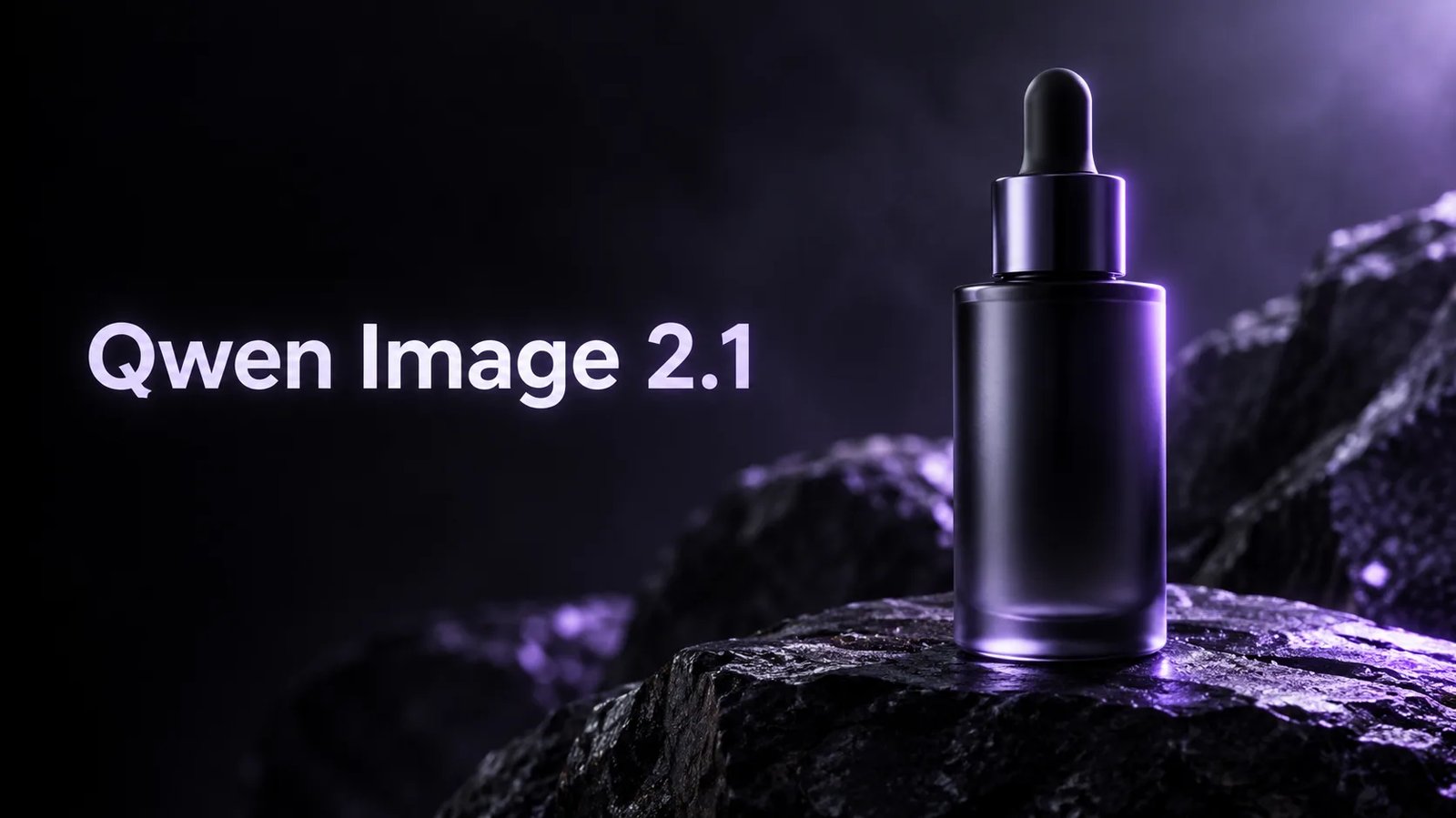
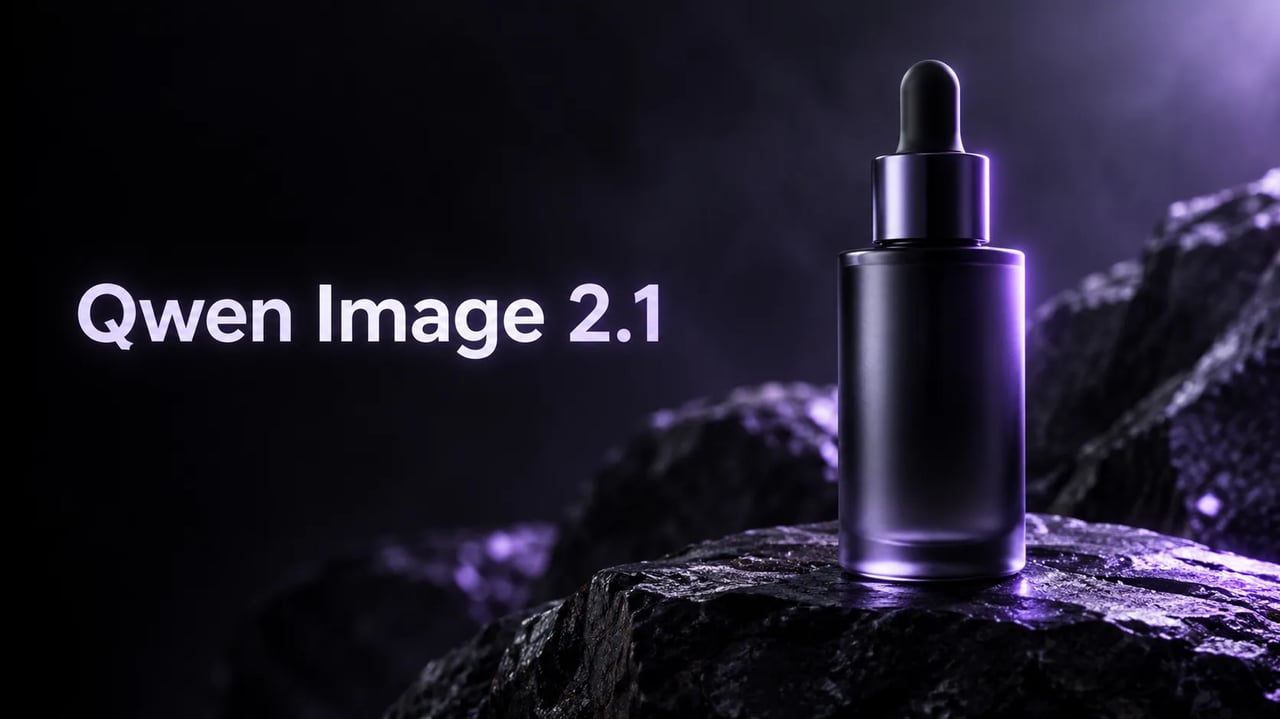
Qwen Image 2.1 產品主視覺——左側標題字 Qwen Image 2.1 與玻璃滴管瓶
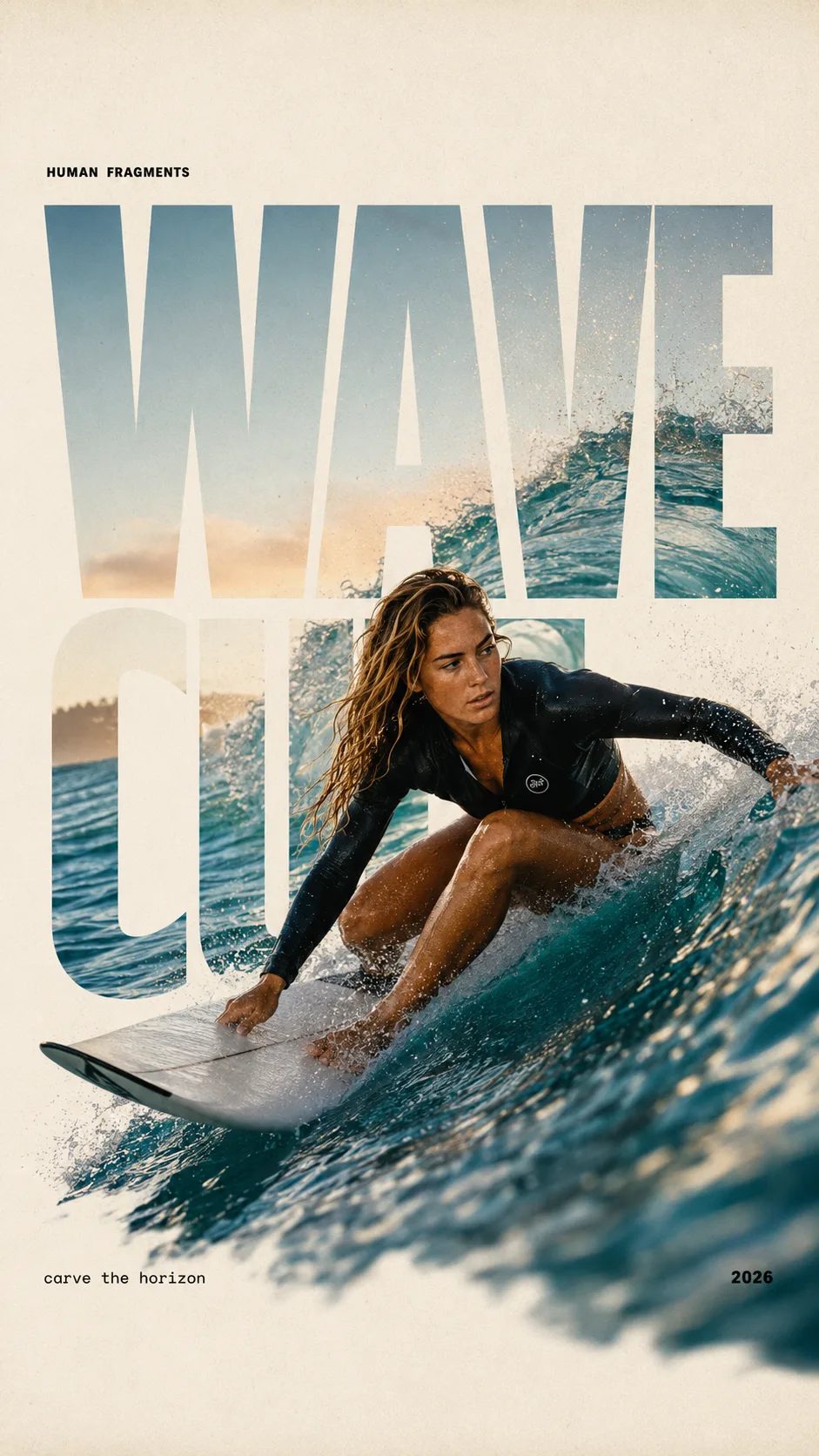
HUMAN FRAGMENTS editorial poster sample

Create a 9:16 editorial poster in the HUMAN FRAGMENTS visual system. Theme: [surfing / basketball / boxing / cake decorating] Subject: [gender, age, appearance, outfit] Action: [specific movement or handcraft] Scene: [location and environment] Title: [custom two-word title] Supporting line: [one short phrase] Year: 2026 Use oversized cropped typography as the main structural framework. The letters should act as windows that reveal the surrounding environment, while the main person remains visually complete in front of the type. Do not let the letters cut through the face, torso, arms, thighs, or other important parts of the body. Let one key action element break beyond the typography to create strong depth: 1. WAVE CUT — a surfer carving across a rising wave, with the board nose, hand, water spray, and curled wave breaking outside the letters. 2. RIM RISE — a basketball player reaching toward the hoop from a camera placed above the rim, with the basketball, hand, and hoop fully outside the letter masks and aligned naturally. 3. IMPACT FRAME — a boxer throwing a straight punch toward the camera, with the foreground glove enlarged and breaking beyond the typography while the gym remains inside the letters. 4. SOFT SWIRL — a graceful young woman decorating a cake, with the piping bag, hands, cake, and cream details extending beyond the letters while the bakery interior appears inside the type. Use realistic photography, believable anatomy, natural skin texture, strong foreground perspective, subtle paper grain, a warm off-white background, restrained colors, and clean editorial spacing. Keep the text minimal and freely placed: [Title] HUMAN FRAGMENTS [Short supporting line] 2026

Create a 9:16 editorial poster in the HUMAN FRAGMENTS visual system. Theme: [surfing / basketball / boxing / cake decorating] Subject: [gender, age, appearance, outfit] Action: [specific movement or handcraft] Scene: [location and environment] Title: [custom two-word title] Supporting line: [one short phrase] Year: 2026 Use oversized cropped typography as the main structural framework. The letters should act as windows that reveal the surrounding environment, while the main person remains visually complete in front of the type. Do not let the letters cut through the face, torso, arms, thighs, or other important parts of the body. Let one key action element break beyond the typography to create strong depth: 1. WAVE CUT — a surfer carving across a rising wave, with the board nose, hand, water spray, and curled wave breaking outside the letters. 2. RIM RISE — a basketball player reaching toward the hoop from a camera placed above the rim, with the basketball, hand, and hoop fully outside the letter masks and aligned naturally. 3. IMPACT FRAME — a boxer throwing a straight punch toward the camera, with the foreground glove enlarged and breaking beyond the typography while the gym remains inside the letters. 4. SOFT SWIRL — a graceful young woman decorating a cake, with the piping bag, hands, cake, and cream details extending beyond the letters while the bakery interior appears inside the type. Use realistic photography, believable anatomy, natural skin texture, strong foreground perspective, subtle paper grain, a warm off-white background, restrained colors, and clean editorial spacing. Keep the text minimal and freely placed: [Title] HUMAN FRAGMENTS [Short supporting line] 2026
何時該用 Qwen Image 2.1 出靜圖

一張靜圖——產品照、短標題海報,或精準改圖——不是密集分格。

任務是一張靜圖、不是密集分格時,打開 Qwen Image 2.1。短標籤的精華液瓶。一行標題的活動海報。只換玻璃顏色、字還留在原位的產品照。註冊積分涵蓋預設 1K 起步。試用無需信用卡。付費方案增加用量與商業使用。

複製一段說明

三則可直接跑的 Qwen Image 2.1 提示

複製一則、打開生成器,用註冊積分免費試。圖上的字請加引號。

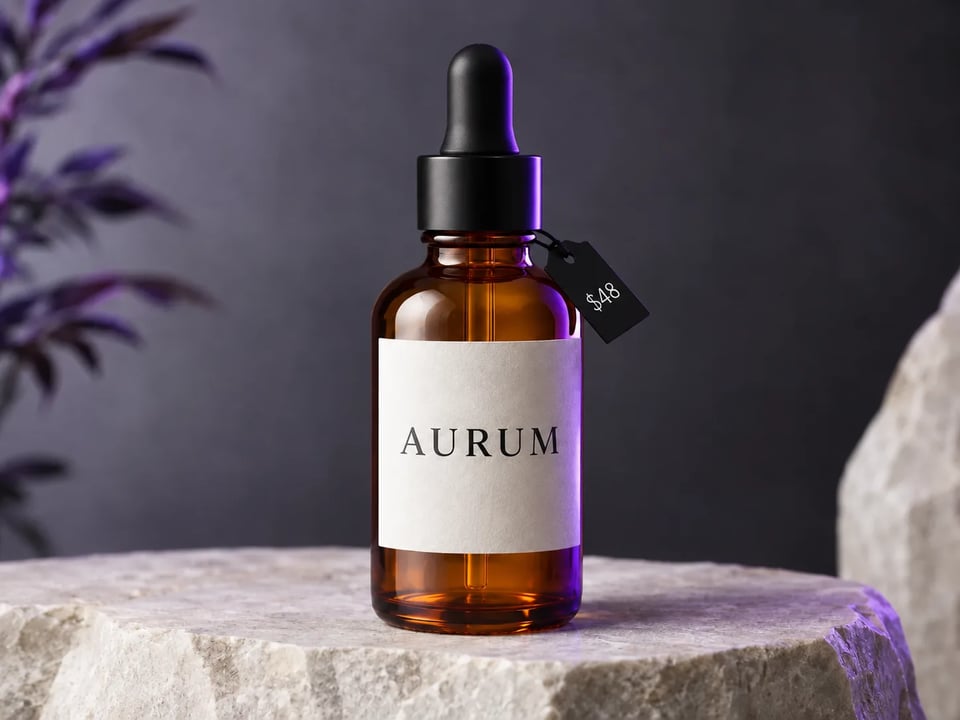
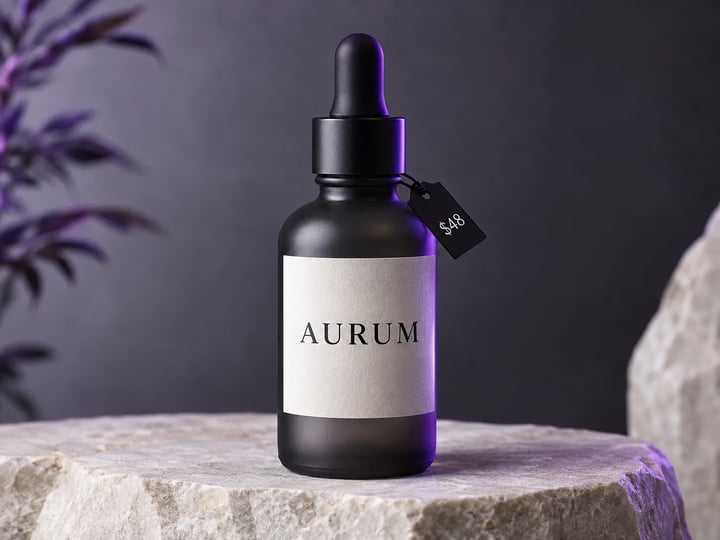
炭黑玻璃精華液瓶棚拍靜圖,標有 AURUM 與 $48 價簽
Reference image
4:3

Example prompt output

帶價錢的精華液瓶

A clean studio product photo of a matte charcoal glass serum bottle on a pale stone slab, short English label reading AURUM and a small price tag $48, soft violet rim light, high readability, no extra text

排版 產品主視覺 任務 型錄靜圖
使用此提示
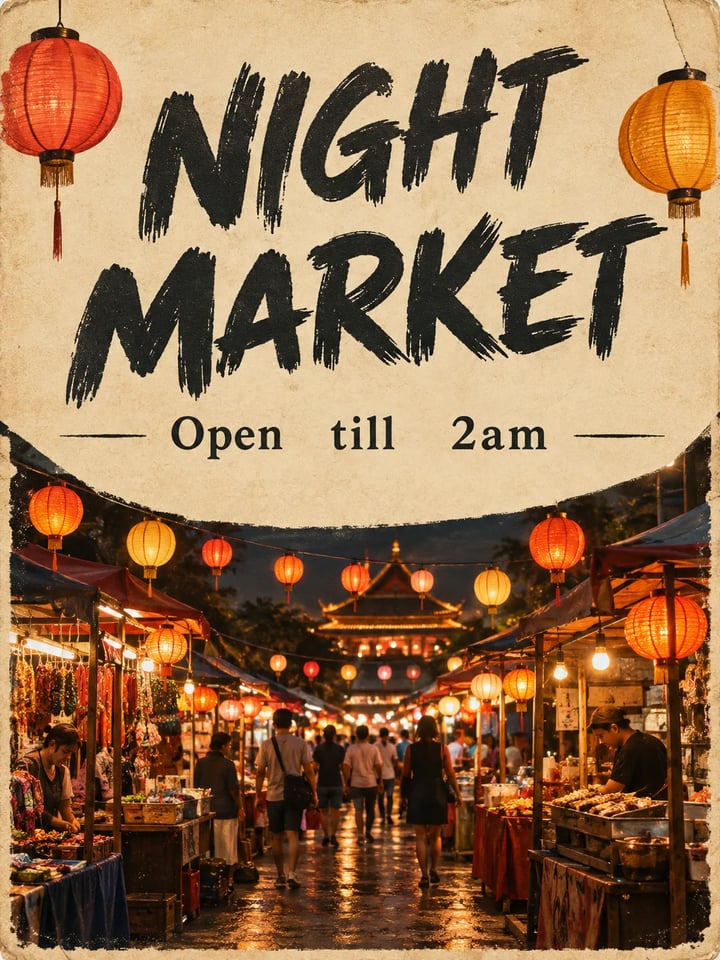
活動海報:標題 NIGHT MARKET、副標 Open till 2am,以及燈籠夜市攤
Reference image
3:4

Example prompt output

夜市海報

Premium campaign poster, short English headline NIGHT MARKET, one line subhead Open till 2am, lantern-lit food stall at dusk, cream paper texture, crisp readable type, no extra paragraphs

語言 英文 任務 海報
使用此提示
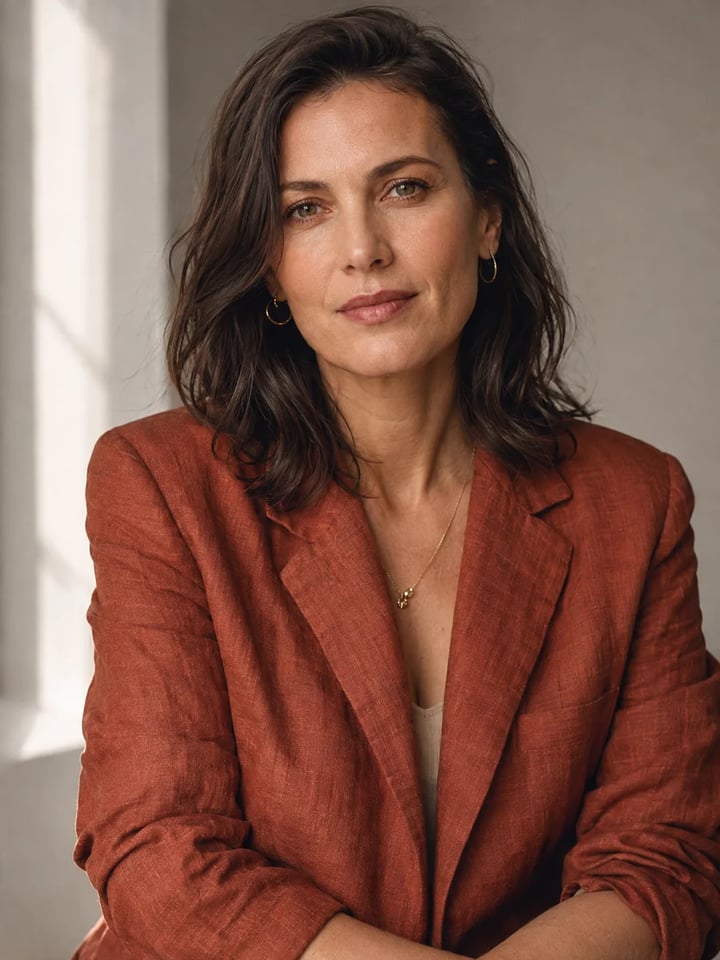
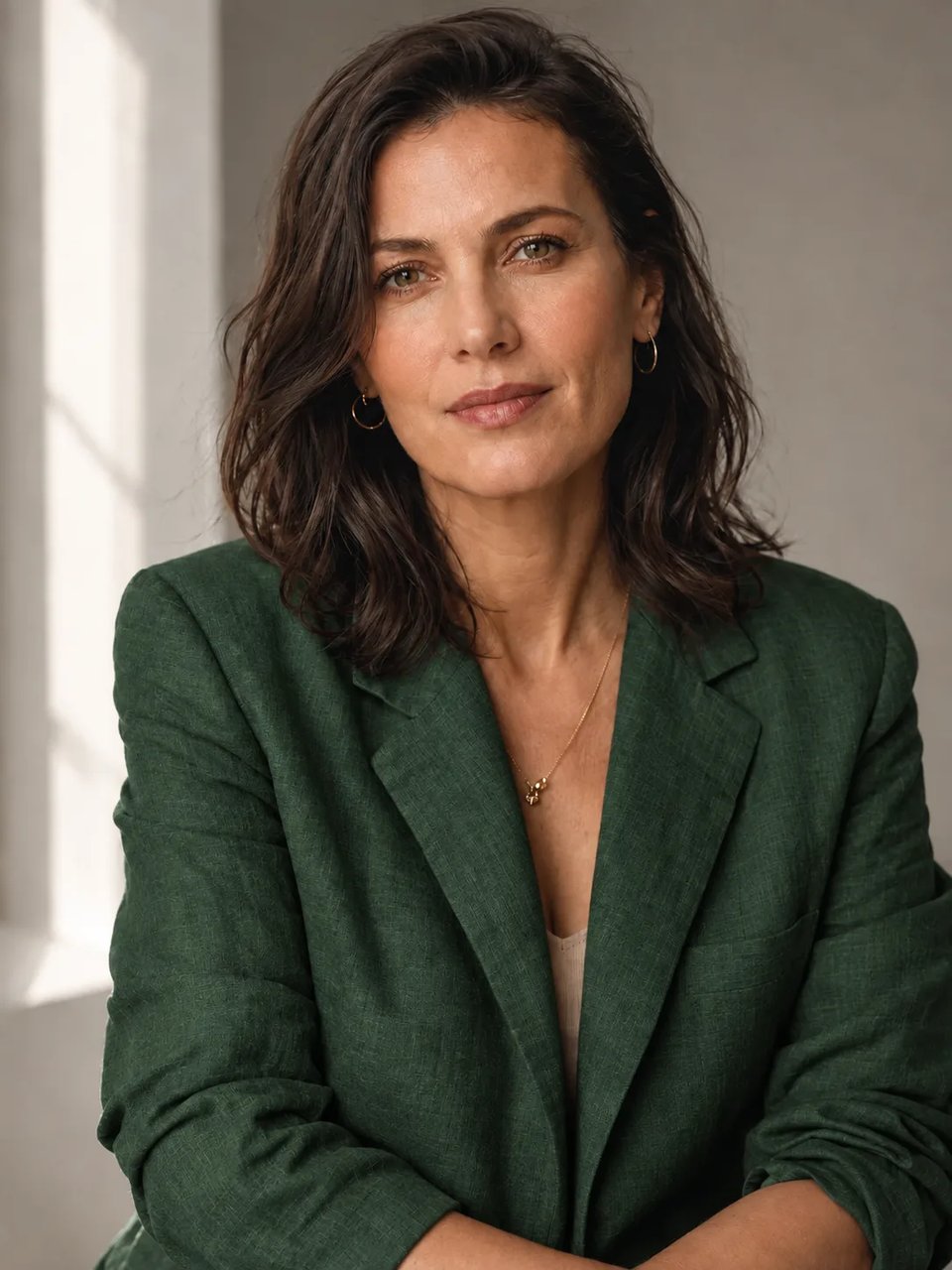
鏽橘色亞麻外套成年女性的編輯風人像,窗光,圖上無字
Reference image
3:4

Example prompt output

編輯風人像

A finished editorial portrait of an adult woman in a rust linen jacket, window light, shallow depth of field, natural skin texture, no text, magazine-cover stillness

任務 人像 文字
使用此提示

圖生圖

用 Qwen Image 2.1 只改一處

上傳靜圖,寫明只改哪一處,其餘留下。下方原圖即上一區文生圖樣本。

同一精華液瓶改為琥珀玻璃;AURUM 與 $48 不變

原圖

原圖:炭黑精華液瓶靜圖

提示

Change only the glass to warm amber. Keep the same bottle, crop, AURUM label, and $48 tag. Do not add new text.

能力

Qwen Image 2.1 能做出什麼

這台生成器就做四件事:型錄靜圖、圖上短字、只改一處,以及更高解析度定稿。

做出價簽清楚的產品靜圖

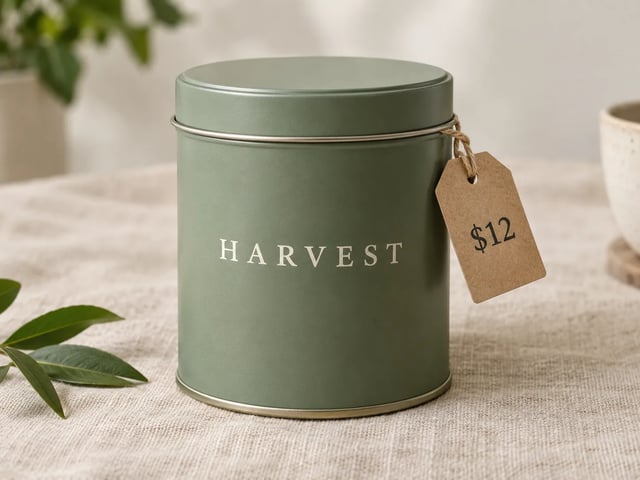
商品頁主視覺需要一瓶、一罐、一盒,看起來就能放上架。還沒有實拍時,走 Qwen Image 2.1 文生圖。品牌字與價錢用引號寫進提示,先以 1K 生成,確認文字再升解析度。

亞麻布上的霧面茶罐,罐身 HARVEST 與 $12 價簽

讓圖上短字看起來有意圖

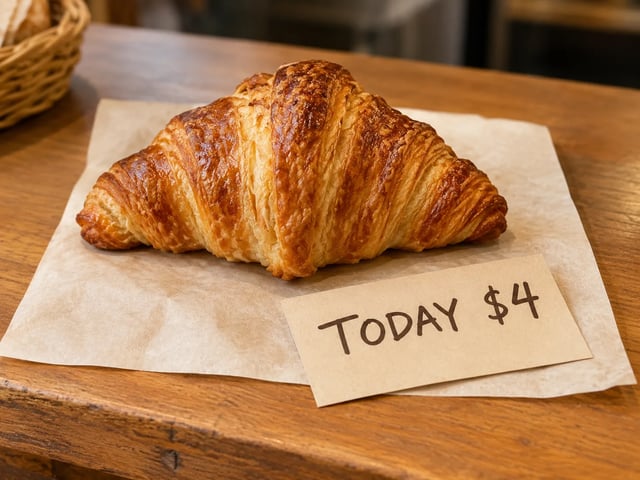
短英文出現在標籤、價簽或兩行海報上,這才用得上。把確切用字告訴 Qwen Image 2.1。一行要短。字母斷了就縮短句子,不要再疊更多字。

烘焙櫃檯小卡,寫 TODAY $4 與一顆糕點,文字可讀

只改照片一處,其餘留下

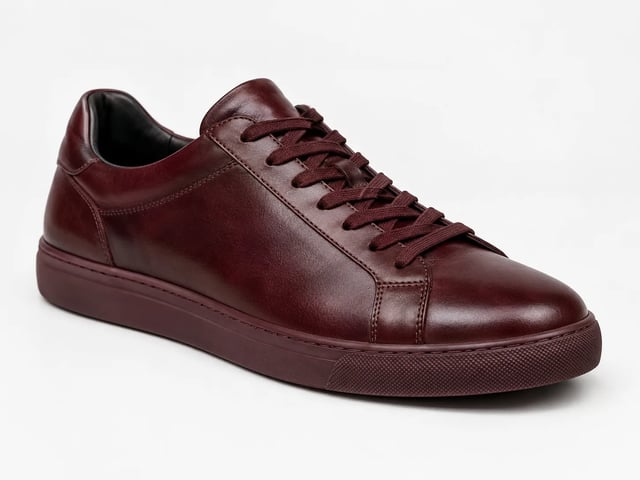
本頁圖生圖是精準一刀。上傳靜圖,寫明要改什麼、什麼必須留下,再檢查五官、文字與構圖。需要全新場景,改走文生圖,不要硬改。失敗的執行會自動退還積分。

白皮革球鞋改成牛血紅;鞋型與燈光不變

先用 1K 試,再用 2K 或 4K 定稿

1K 是預設,讓註冊試用夠跑一張 Qwen Image 2.1 靜圖。有值得定稿的結果,同一則提示升到 2K 或 4K。

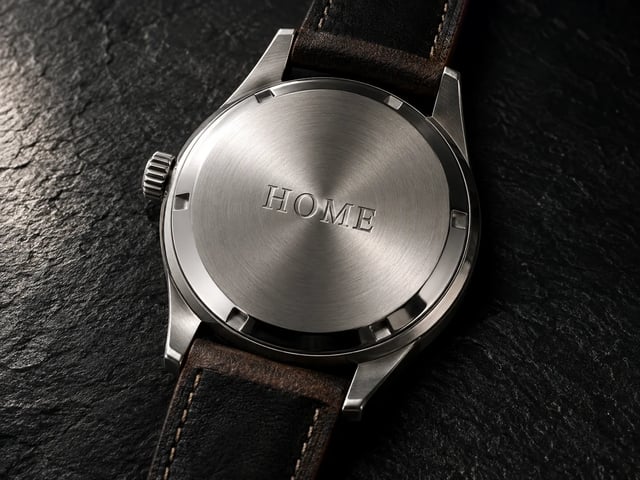
手錶特寫靜圖,金屬銳利,短刻字 HOME
使用方式

三步驟做出 Qwen Image 2.1 靜圖

打開本頁、描述任務,下載或再修。

  1. 1

    打開 Qwen Image 2.1

    本頁已選好 Qwen Image 2.1。註冊一次即可載入免費積分——開始預設 1K 試跑無需信用卡。

  2. 2

    寫提示或上傳照片

    文生圖用白話描述這張靜圖。圖生圖則上傳參考,寫明只改哪一處。必須出現的字請加引號。

  3. 3

    生成、檢查文字、收尾

    檢查標籤與臉。再跑一輪,或有值得定稿的結果時把解析度升到 2K 或 4K。付費方案解鎖商業使用。

何時打開 Qwen Image 2.1

同一台生成器——四種任務,一張靜圖比密集分格更重要。

  • 商品上架

    實拍還沒排,先要一張帶短名與價錢的型錄靜圖。用 Qwen Image 2.1 以 1K 生成,再把值得定稿的那張收尾。

  • 活動設計師

    夜市、新品發售或週末營業時間,需要一行標題海報。圖上的字控制在兩短行。

  • 修圖師

    已有一張好照片,只想換配色或換外套,不要換成另一個人。用 Qwen Image 2.1 圖生圖,寫明什麼必須留下。

  • 社群負責人

    需要方形或直式封面,上面只有一行可讀的字。

系列指南

Qwen Image 2 vs Qwen Image 2.1 vs Qwen Image 3

三個都在 Qwen Image X 選擇器裡跑。本頁打開的是 Qwen Image 2.1。

快速 Qwen Image 2 更快草稿路線 打開 Image 2
Qwen Image 2.1 質感靜圖 · 精準改圖 免費試用 Image 2.1
預設 Qwen Image 3 密集 · 清晰 · 多語 打開 Image 3
最優先用途 快速風格草稿與日常靜圖 產品主視覺、短標題海報、只改一處的照片 多分鏡分格、細小文字、多語海報
圖內文字 草稿上的短標籤 標籤與兩行海報上加引號的短字 細字體與密集欄位
排版密度 較單純的單場景靜圖 一張靜圖,不是 3×3 分格 長提示與多區域分格
尺寸 草稿靜圖 1K 試跑;2K 或 4K 定稿 預設 1K;定稿可升 2K
常見問題

關於 Qwen Image 2.1 的問題

何時該用 Qwen Image 2.1 出產品靜圖?

需要一張靜圖時打開 Qwen Image 2.1:價簽清楚的產品照、短標題海報,或只改一處的照片。

可以用註冊積分免費試用 Qwen Image 2.1 嗎?

可以。新帳號獲贈註冊積分,足以涵蓋預設 1K 的 Qwen Image 2.1 靜圖。開始無需信用卡。需要更高用量或商業授權時,再購買積分或訂閱。

Qwen Image 2.1 文生圖如何讓短標籤保持可讀?

在提示裡用引號標出確切用字——品牌、尺寸、價錢,或兩行標題。先以 1K 生成 Qwen Image 2.1,確認拼字再升尺寸。圖上的那一行要短。

如何用 Qwen Image 2.1 圖生圖只改一處?

上傳靜圖,寫明只改什麼、什麼必須留下(臉、標籤、構圖)。用 Qwen Image 2.1 生成,再跟原圖對看。文字或五官跑掉了,就把「留下」那句寫短再跑一次。

Qwen Image 2 還是 Qwen Image 2.1——該先試哪個?

要快速草稿用 Qwen Image 2。靜圖得看起來像成品,又要短標籤清楚或只改一處,用 Qwen Image 2.1。兩者同在一個選擇器。

什麼時候選 Qwen Image 3 比 Qwen Image 2.1 更合適?

當靜圖是密集排版:分鏡、考卷、很多小標題的雙語海報。Qwen Image 2.1 專注單張靜圖、短標籤與只改一處。

Qwen Image 2.1 可以匯出哪些尺寸?

Qwen Image 2.1 從 1K 開始。有值得定稿的結果,同一則提示升到 2K 或 4K。

Qwen Image 2.1 靜圖可以用在付費廣告嗎?

商業使用在付費方案。註冊試用是用來試 Qwen Image 2.1。靜圖要跑廣告、上架或客戶專案,請升級。

開始使用

線上免費試用 Qwen Image 2.1

註冊積分、質感靜圖、可讀標籤、文生圖與圖生圖——開始無需信用卡。