TLDR
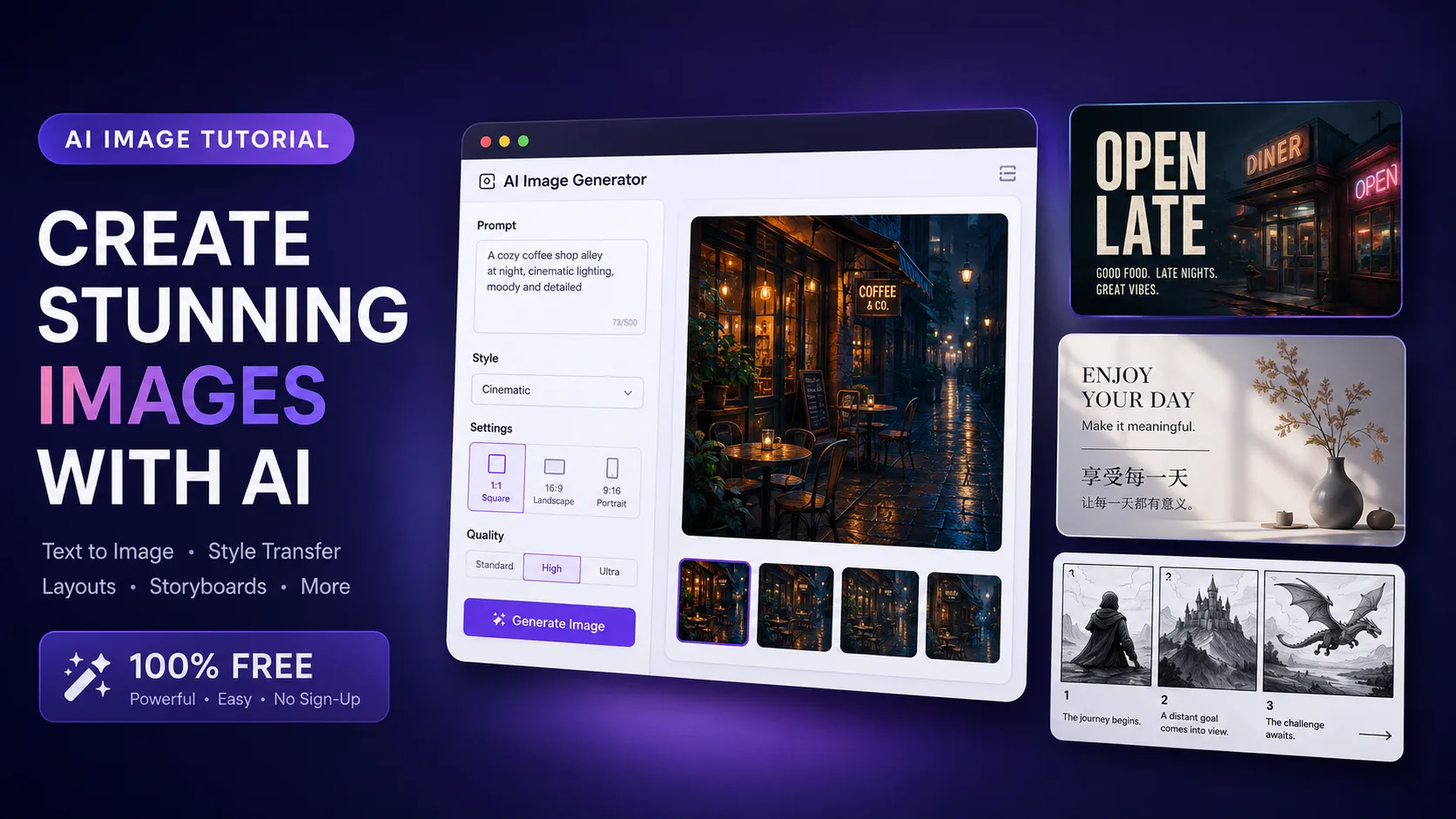
- Open Qwen Image 3.
- Sign up (email or social)—no card required to start.
- Use signup credits on a 1K draft.
- Paste a prompt with quoted exact text + layout rules.
- Zoom-check type → refine with image-to-image or promote keepers to 2K.
Key Takeaways
- Try here: Qwen Image 3 generator on Qwen Image X (text-to-image + image-to-image).
- Free start: signup credits, no card to begin; default stills resolution starts at 1K.
- Best first jobs: multi-panel boards, bilingual posters, worksheets, UI-style mocks—not 500-word essays painted as paragraphs.
- Prompt rule: quote exact strings, cap lines, force fully legible / high contrast, ban extra labels.
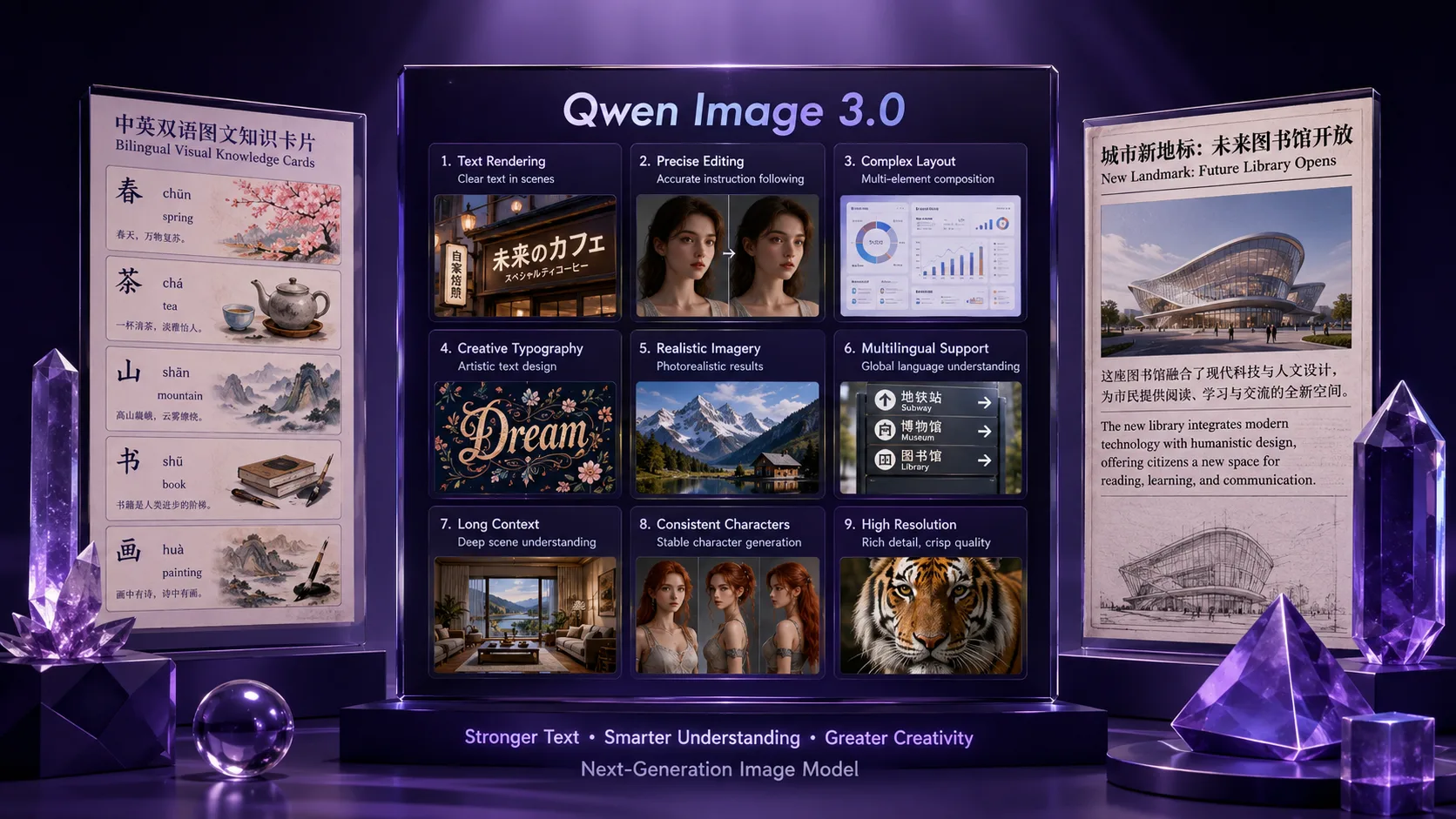
- Series context (optional reading): official 3.0 launch framing is Real productivity—Rich Content / Authentic Details / Deep Knowledge (Qwen blog, July 21, 2026).
Before you start (60-second checklist)
| Check | Why | | --- | --- | | You have a real deliverable (poster, board, label) | Vague “make art” prompts waste free credits | | Every customer-facing string is ready in a note | You will paste them inside “quotes” | | You know the aspect ratio (1:1, 9:16, 16:9…) | Crop survival is part of the job | | You will zoom to 100% before exporting | Pretty thumbnails lie about micro text |
Step 1 — Open the Qwen Image 3 generator
Go to Qwen Image 3 on Qwen Image X. The model should already be selected. Stay on this page for both text to image and image to image—you do not need a second product for the basic loop.
If you landed on the marketing homepage first, use the generator entry that deep-links to Image 3 rather than starting from a blank model picker.
Step 2 — Create a free account (no card)
- Click Sign in / Sign up.
- Use email or a supported social login.
- Confirm you can see a credit balance (new accounts receive signup credits—enough for default-tier first tries on this site’s free trial path).
- Do not enter a card unless you already know you need higher volume or commercial licensing.
Free tier details can change; the product promise for first runs is a genuine free start without a card, not unlimited anonymous generation.
Step 3 — Choose text-to-image or image-to-image
| Mode | Use when | | --- | --- | | Text to image | You are designing the scene and the type together (poster, board, mock UI) | | Image to image | You already have a photo/draft and only need restyle, extend, or label fixes |
Default resolution: 1K. Use 2K or 4K only after a draft earns a keep—higher tiers spend more credits per image on this SKU’s ladder.
Step 4 — Write a prompt the model can obey
Use four blocks, in order:
- Scene — subject, lighting, materials (1–2 sentences).
- Exact text — every string in quotes; say “exact text” and “fully legible.”
- Layout — panel count, positions, type size, max lines.
- Negatives — no extra text, no watermark, no random logos.
Prompt 1 — free first win (English poster)
Vertical event poster, deep navy background, soft cyan glow, clean upper third.
Large exact text "OPEN LATE" in white sans-serif, centered, fully legible and sharp.
Smaller exact text "FRIDAY 9PM" under the headline, fully legible, high contrast.
No other text, no logos, no watermark.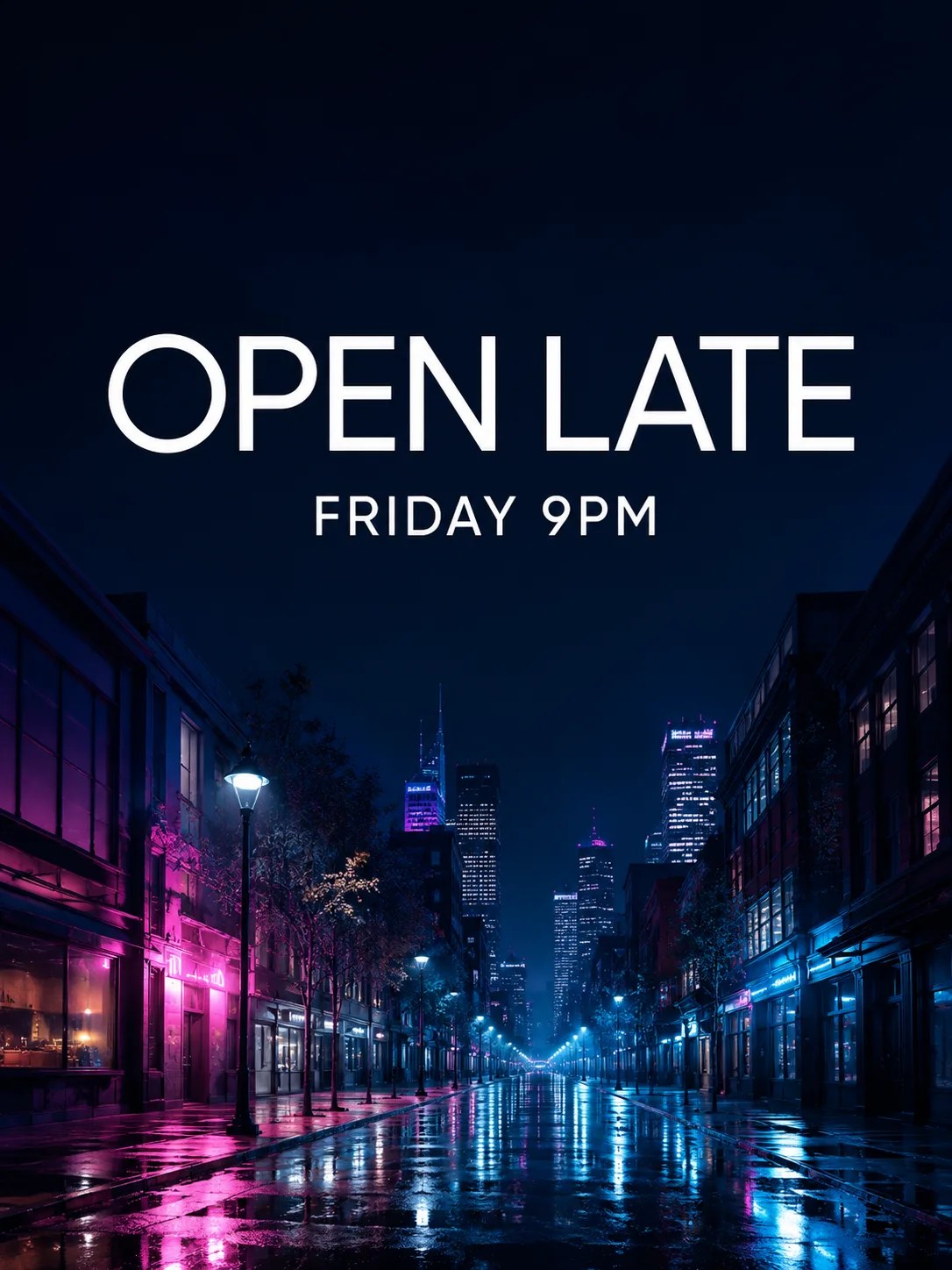
Prompt 1 result · OPEN LATE + FRIDAY 9PM · generated on Qwen Image X
Prompt 2 — bilingual social card
Square social card, warm cream paper texture, generous margins, thin geometric border.
Top: large exact text "SUMMER SALE" in black, fully legible.
Bottom: large exact text "夏季特惠" in black, fully legible, same visual weight.
One thin horizontal rule between the lines. No other text, no watermark.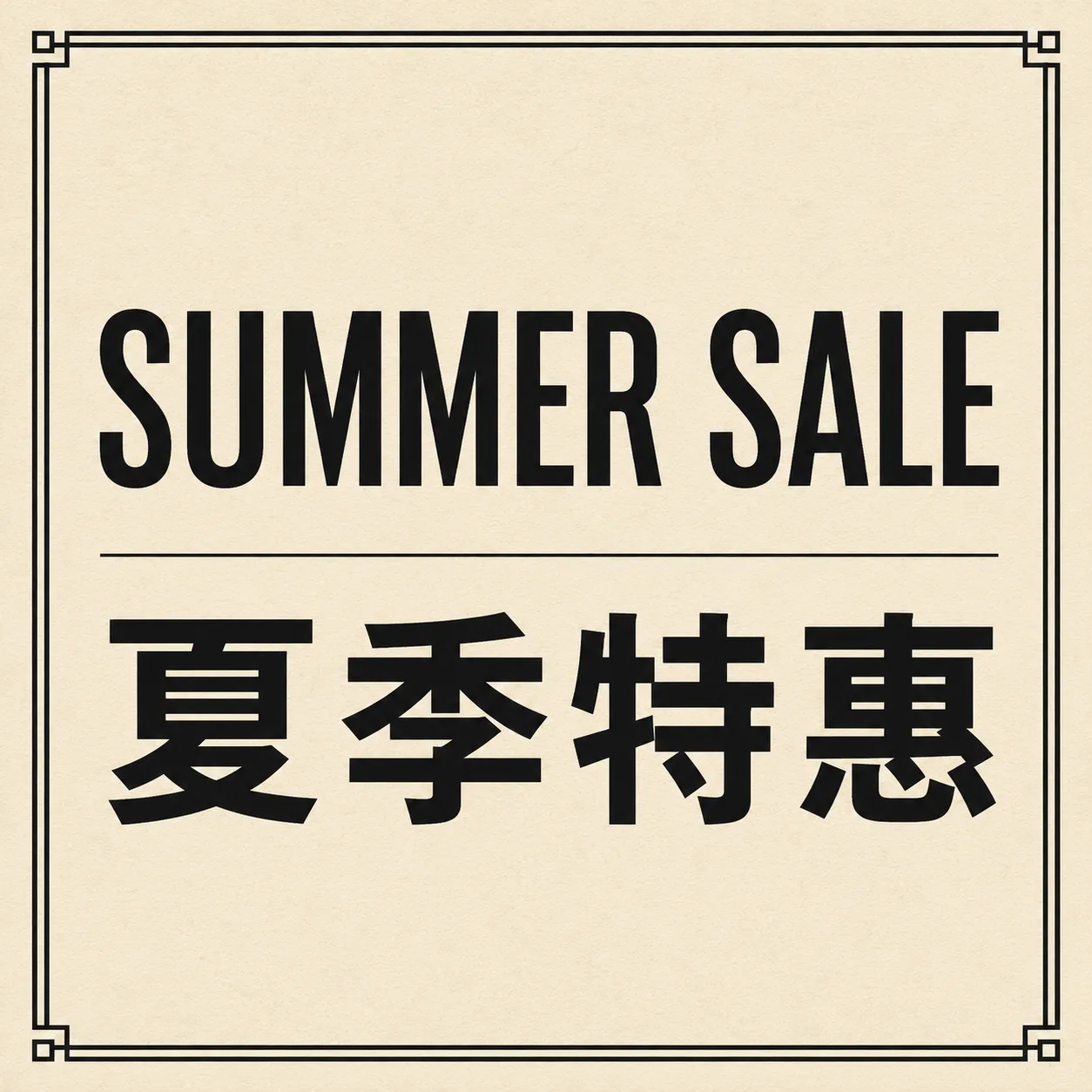
Prompt 2 result · EN + 中文 · generated on Qwen Image X
Prompt 3 — three-panel storyboard
Horizontal 3-panel storyboard, equal panels, clean ink borders on warm paper.
Panel 1: rainy street at night, small exact text "BEAT 1" under panel, fully legible.
Panel 2: close-up phone glow, small exact text "BEAT 2" under panel, fully legible.
Panel 3: rooftop sunrise, small exact text "BEAT 3" under panel, fully legible.
Consistent line weight, no watermark, no extra labels.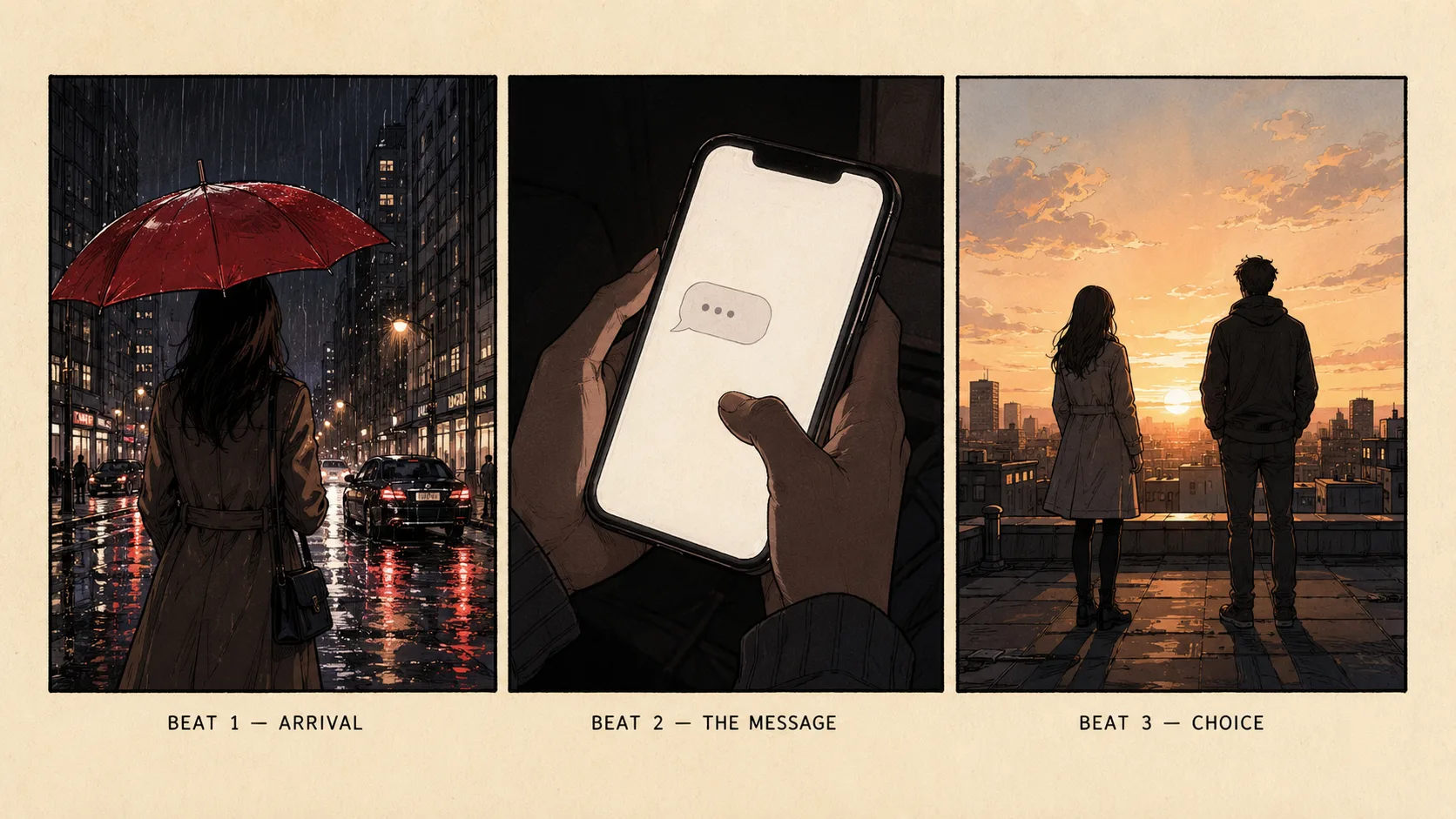
Prompt 3 result · three-panel beat board · generated on Qwen Image X
Prompt 4 — image-to-image label fix
Keep the exact same product photo, camera angle, lighting, and background.
Only update the front label: large exact text "RIVIERA" and smaller exact text "50 ml",
sharp and fully legible. Do not replace the bottle. No extra text, no watermark.
For Prompt 4, upload any product photo you already have, then run image-to-image—there is no fixed before/after pair in this guide because the source photo is yours.
Before you hit Generate
- [ ] Strings are in “quotes” with the words exact text
- [ ] Max 1–3 lines of hero type (not a paragraph)
- [ ] You said fully legible + high contrast
- [ ] You banned extra text / watermark
- [ ] Aspect ratio matches the channel
Step 5 — Run, judge, refine
- Generate at 1K.
- Open the result at 100% zoom.
- Pass only if spelling, edges, and panel borders hold.
- If type is almost right: image-to-image with “keep composition, fix only these exact strings.”
- If type is right but soft for export: re-run the same prompt at 2K or 4K.
- Save keepers to your library so you can re-edit later.
Failure boundaries (save your free credits)
| Failure mode | Fix | | --- | --- | | Paragraph body copy inside the image | Move body to a real doc; keep ≤ ~6–8 words per line in-image | | Tiny legal footnotes | Drop microcopy from the image entirely | | Unquoted marketing lines | Model “improves” your slogan—always quote + exact | | Low contrast type on busy art | Force high contrast colors and a cleaner background region | | Twenty UI labels in one mock | Mock one region (title + primary CTA), not a whole OS | | Burning 2K on a vague prompt | Always 1K explore → higher-res finish |
Independent early coverage of the official 3.0 model also notes that multilingual body text can still glitch even when hero type looks strong (GIGAZINE). Zoom-check every locale.
How free credits fit the job (product facts only)
On Qwen Image X:
- New accounts receive signup credits for first default-tier tries.
- Qwen Image 3 default generations start at 1K; higher resolutions cost more credits per image on the site ladder.
- You can start without a card. Upgrade only when you need more volume, faster queues, or commercial licensing.
We intentionally do not publish third-party $/image shopping tables here. Your decision is whether the free trial path proves the layout/text job before you subscribe.
3-step evaluate loop (copy this)
- Open Qwen Image 3.
- Paste Prompt 1 or your real brief; generate at 1K.
- Judge only the type and panel edges at 100% zoom. Pass → 2K. Fail → shorten text, raise contrast, or i2i refine.
Optional: after Image 3 locks the brief, compare a faster everyday still on Qwen Image 2 with the same prompt—only if you need a speed/quality tradeoff, not if text already failed.
What We Know vs. What We Don’t
| We know | We don’t claim | | --- | --- | | Qwen Image X exposes a free-start browser generator for Qwen Image 3 | Unlimited free generations forever | | Signup credits + no card to start | That free credits cover every 2K commercial campaign | | Official series 3.0 story emphasizes long prompts, micro text, multi-language (Qwen blog) | That every host UI behaves identically to every research demo | | 1K → 2K ladder is the sane credit strategy on this SKU | Pixel-perfect legal microcopy without human review |
FAQ
Is Qwen Image 3 really free online?
Yes for a free start: create an account on Qwen Image X, use signup credits, and generate on Qwen Image 3 without adding a card. Free credit amounts and limits can change; paid plans unlock more volume and commercial terms.
Do I need a credit card?
No to start. Add payment only when you outgrow the trial or need commercial licensing.
Where is the generator URL?
/image/qwen-image-3/ — use the #tool-generator anchor to jump straight to the workspace.
Text-to-image or image-to-image first?
Start text-to-image for a new concept. Use image-to-image when you already have a photo or a near-miss draft.
What resolution should I pick first?
1K. Promote keepers to 2K.
Can it do Chinese and English in one poster?
Yes—that is a core series strength historically (Qwen-Image intro) and part of the 3.0 multi-language story (3.0 post). Always zoom-check both scripts. Try Prompt 2 above.
Why did my slogan change spelling?
You probably did not mark it as exact text in quotes, or you stacked too many words. Shorten, quote, and ban extra labels.
How is this different from Qwen Chat?
Qwen Chat / Studio is Alibaba’s surface for Qwen models. Qwen Image X is an independent product workspace with a dedicated Qwen Image 3 generator, library, and plans.
Where do I read what is new in 3.0?
Qwen Image 3.0 Is Live: What’s New (4.5k Tokens, 10px Text, 12 Languages).
Can I use outputs commercially?
Commercial rights are tied to paid plan terms on Qwen Image X. Do not assume free-trial exports cover client ads—check pricing/legal on the site before shipping paid work.
What if I only need a quick everyday still, not a dense board?
Try Qwen Image 2 for a lighter everyday loop after you understand the Image 3 text/layout workflow—or stay on Image 3 if labels are still the product.