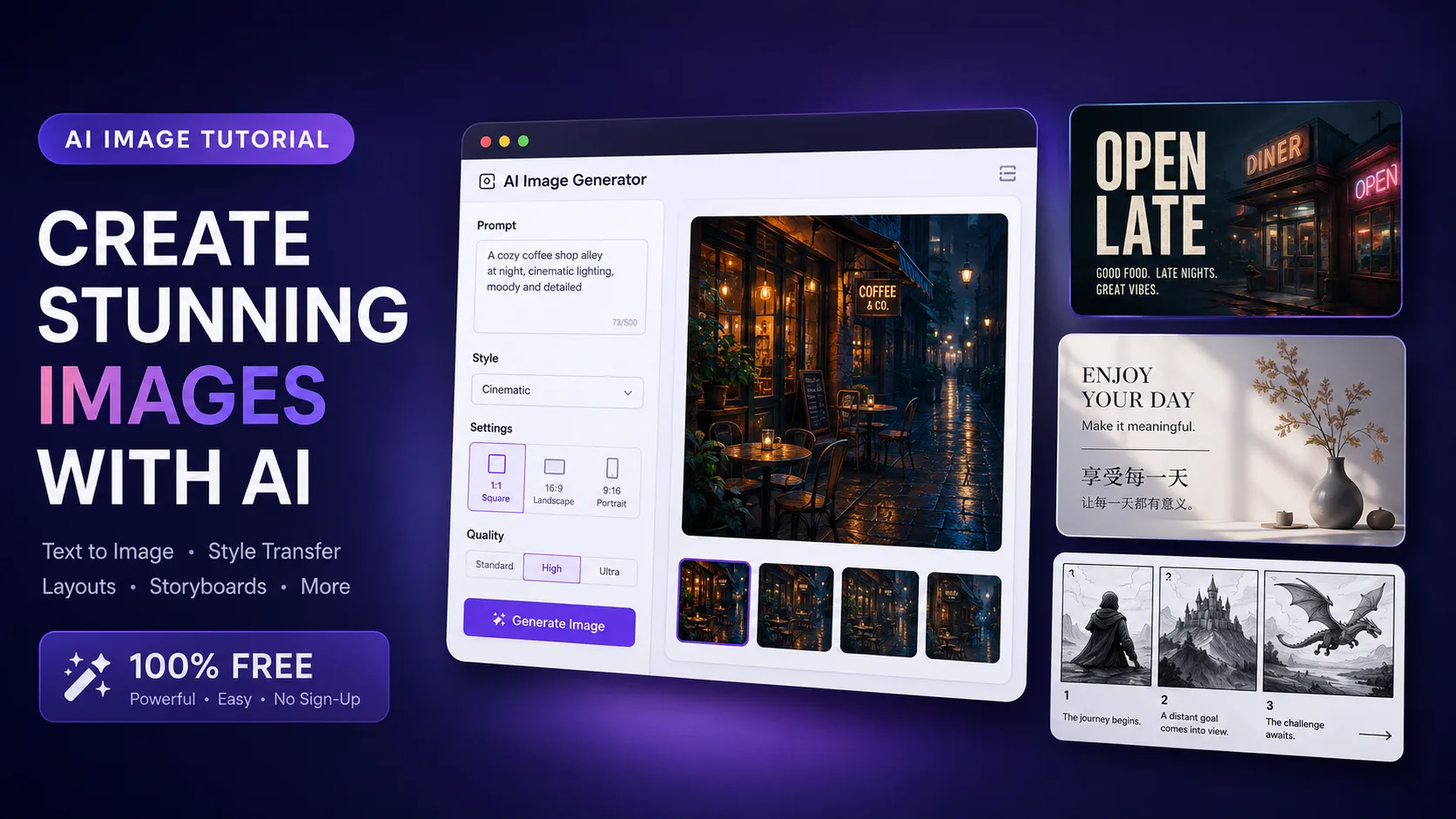
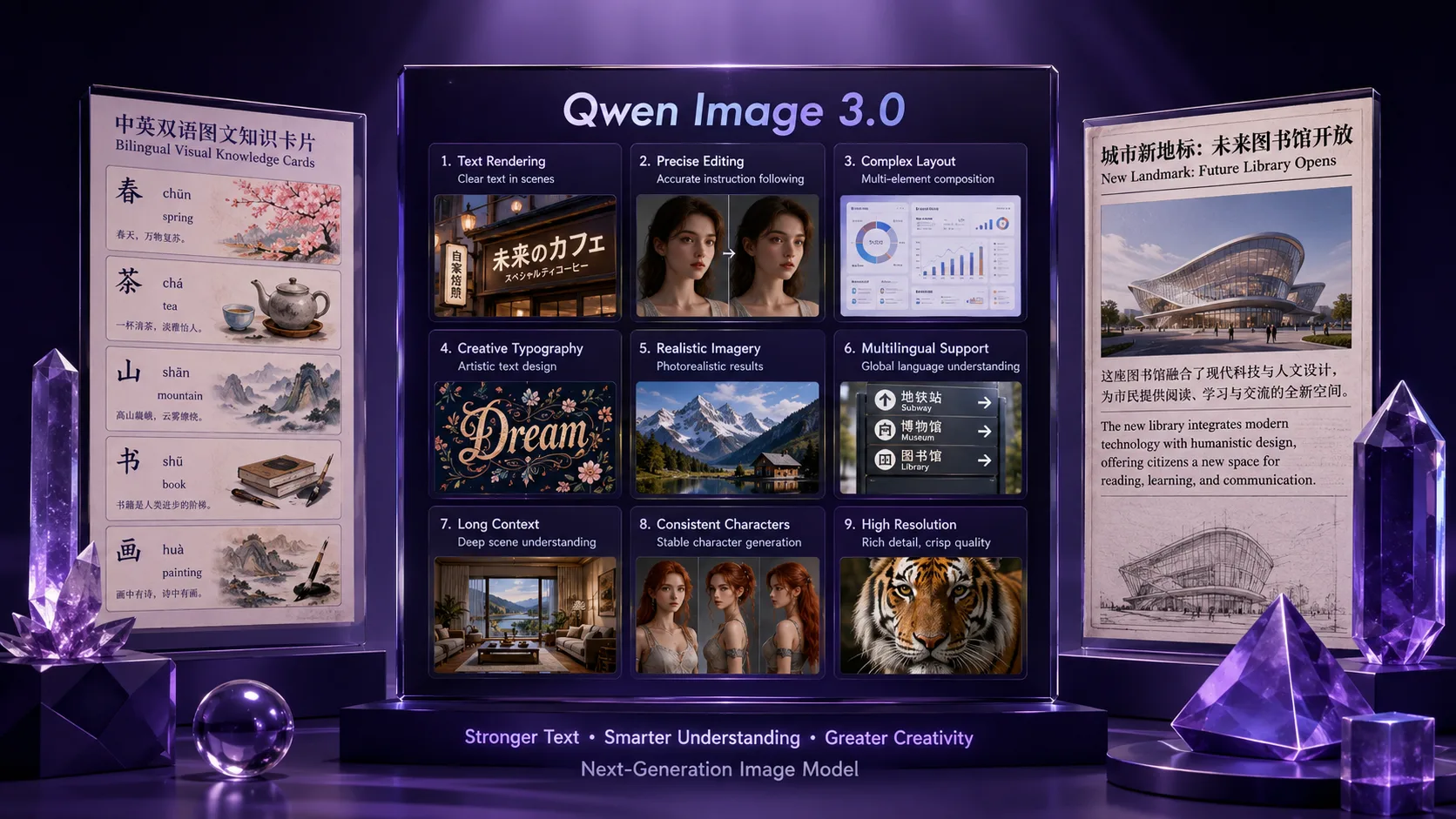
TLDR
Qwen-Image-3.0 is the July 21, 2026 third-generation Qwen image foundation model. Official keywords: Rich Content (up to ~4.5k token prompts; one-pass newspapers, storyboards, exam sheets, complex grids), Authentic Details (text legible down to about 10px, micro textures, dense documents), and Deep Knowledge (native rendering across 12 languages, UI-like interfaces, broader world knowledge) (official blog). On Qwen Image X, the product path is the browser Qwen Image 3 generator—text-to-image and image-to-image for production-style stills—with a free signup trial (no card required to start).
Key Takeaways
- Released: July 21, 2026 for Qwen-Image-3.0 on the Qwen research blog (qwen.ai).
- Series arc (official wording): 1.0 = Precision; 2.0 = Precision, Variety, Completeness, Beauty, Authenticity; 3.0 = Real (实)—useful, not only pretty (official blog; earlier series posts: Qwen-Image, Qwen-Image-2.0).
- Rich Content claim: prompts up to about 4.5k tokens; one-pass multi-panel / nested layouts (newspapers, storyboards, exam papers, 3×3 info grids) (official blog).
- Authentic Details claim: text as small as about 10px, dense academic/newspaper pages, finer material textures (official blog; GIGAZINE).
- Deep Knowledge claim: native rendering in 12 languages, 100+ styles, realistic web/game/livestream-style UIs, optional fresher knowledge via web retrieval in the official narrative (official blog).
- Try path on this site: open Qwen Image 3 for free browser generations oriented around dense layouts and readable on-image text.
What Actually Shipped
1. A third-generation “productivity” pitch—not only aesthetics
The official July 21 post organizes the release around three pillars rather than a leaderboard dump:
| Pillar | Official emphasis | Example jobs called out | | --- | --- | --- | | Rich Content | Long instructions; multi-panel / nested layouts in one pass | Newspapers, storyboards, exam papers, 3×3 infographic grids, picture-in-picture UIs | | Authentic Details | Micro text + material fidelity | ~10px type, LaTeX-heavy academic pages, skin/hair/paper texture, dense annotations | | Deep Knowledge | Multilingual + interface + world knowledge | 12 languages, web/game/livestream UI looks, knowledge infographics, IP-aware scenes |
Secondary reporters largely restate those three pillars rather than publishing independent scorecards (Times of AI, Decrypt). Treat third-party recaps as distribution, not as a second lab report.
Figures below are Qwen Image X showcase stills that mirror the same three job families the official post emphasizes (dense boards, fine type, multi-language posters)—not hotlinked frames from qwen.ai. For the primary source gallery, see the official Qwen-Image-3.0 post.
2. Long prompts as a first-class product story
Unlike “short vibe prompts only,” Qwen-Image-3.0’s launch spends real space on instruction length. The official write-up states support for up to 4.5k tokens of input and shows a 3×3 multi-domain grid described as a multi-thousand-token brief generated in a single pass—not nine stitched images (official blog).
That matters for real workflows: a short-drama beat board, a bilingual campaign system, or a multi-panel worksheet is layout + copy + structure, not one subject noun.
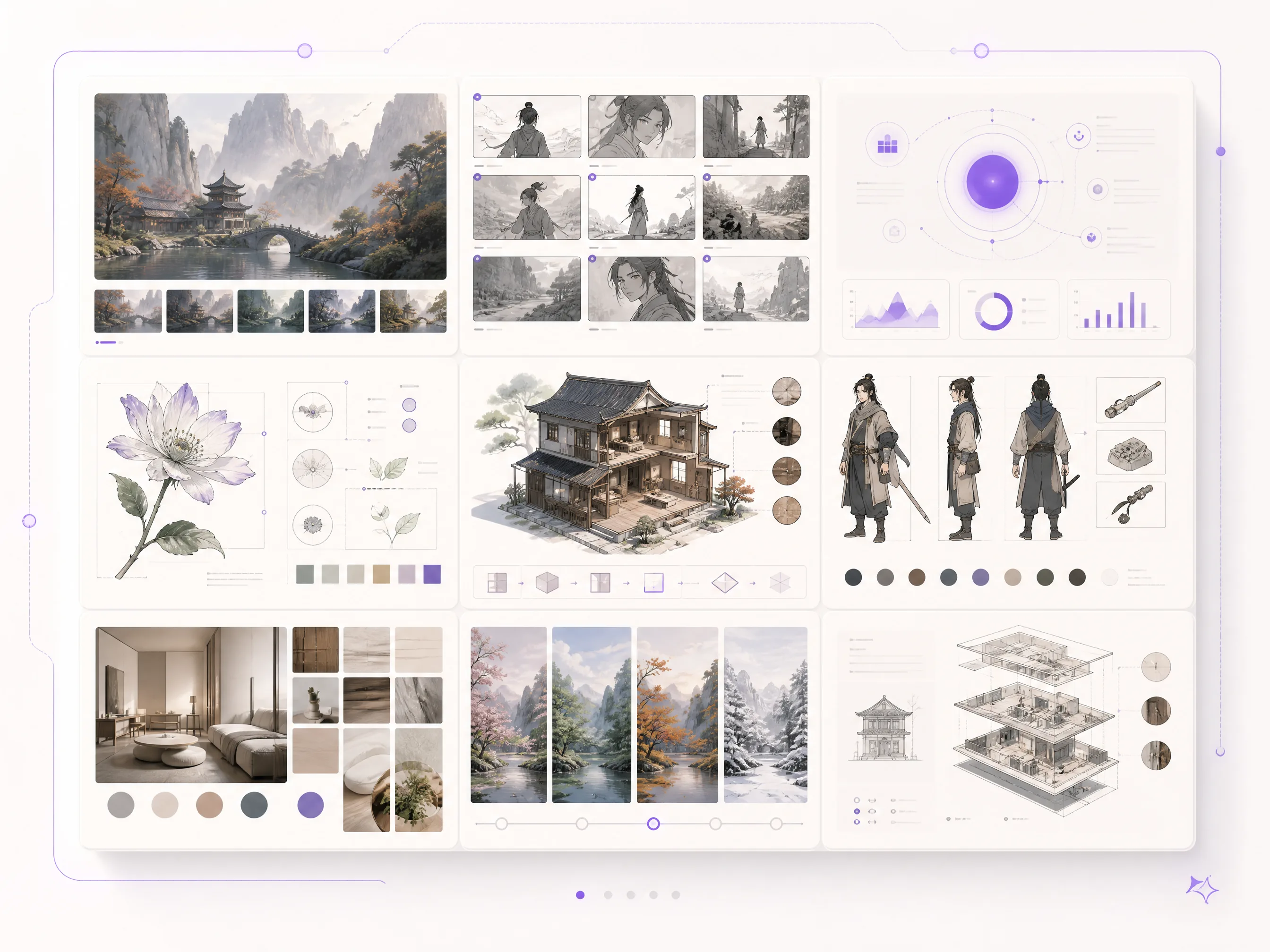
Dense multi-panel board example · Rich Content job family · showcase still on Qwen Image X
3. Micro text and document-like density
The same post highlights ~10px legible text, academic pages with multi-line formulas, newspaper columns, and editing overlays such as handwritten annotations (official blog). GIGAZINE’s walkthrough confirms the public try path via Qwen’s own chat product and notes strong texture demos—while also recording imperfect Japanese body copy in one editing test. That mix is useful: capability is real; perfect multilingual body copy is not guaranteed.
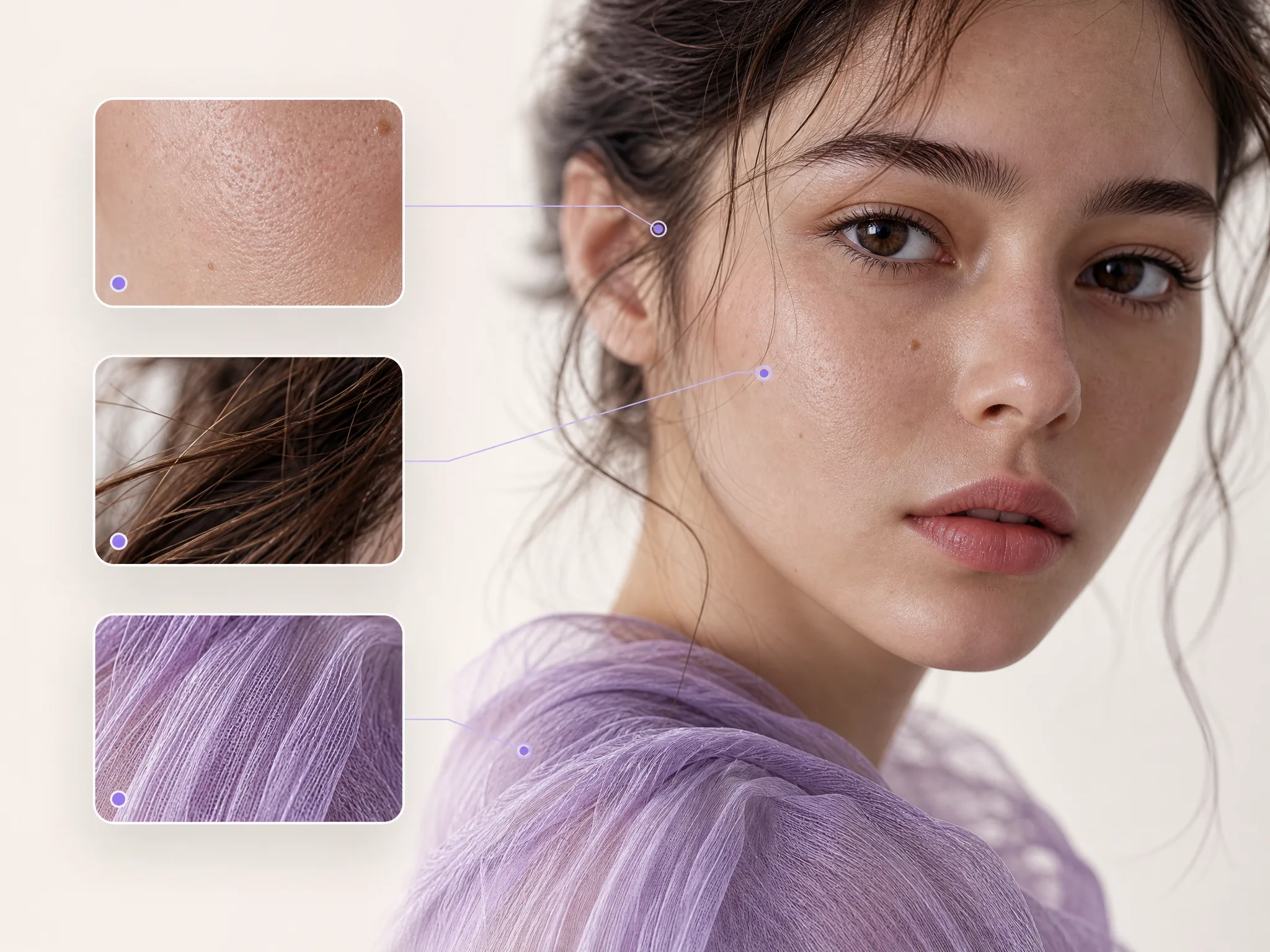
Micro detail / fine type example · Authentic Details job family · showcase still on Qwen Image X
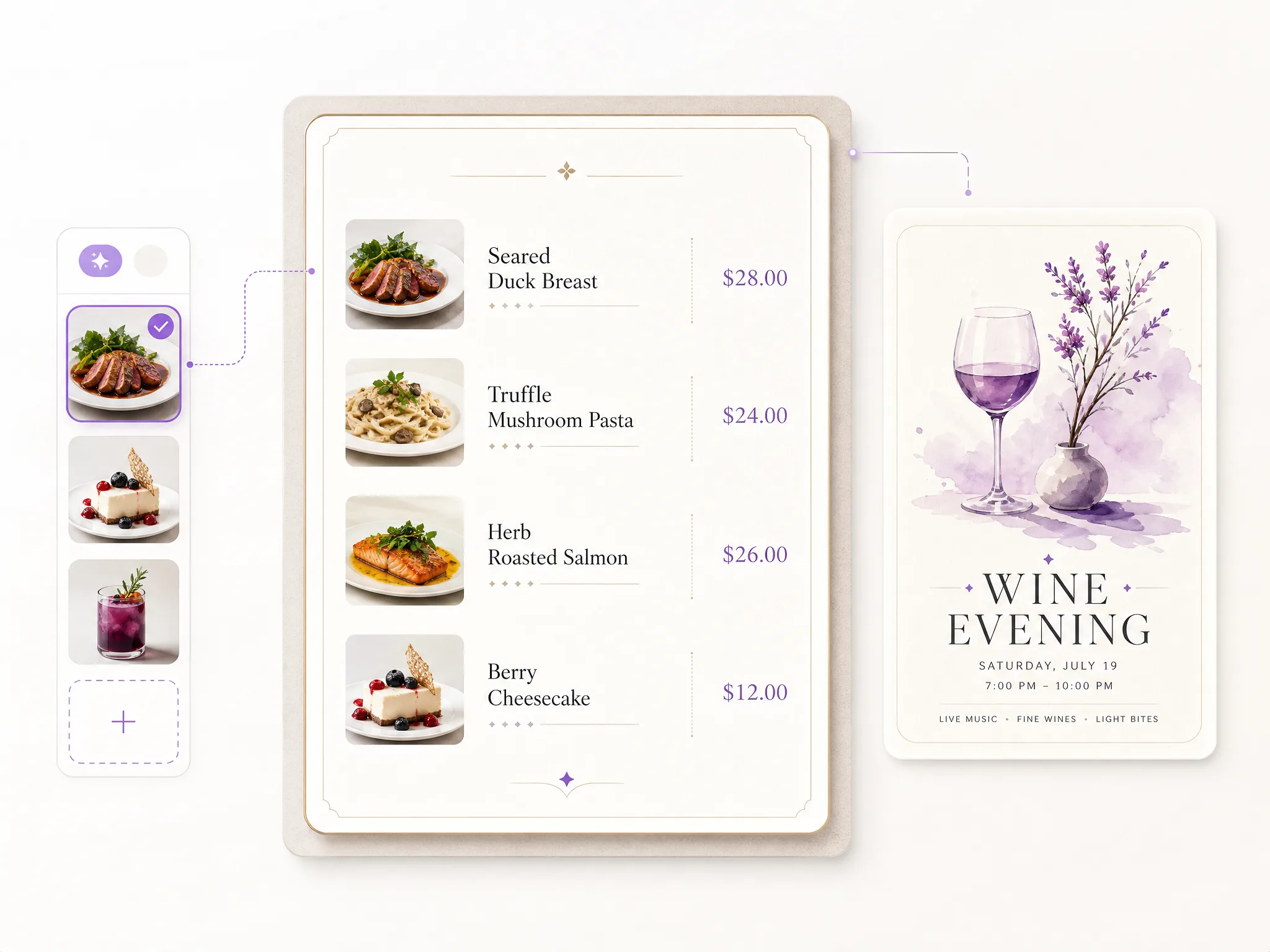
Dense label / menu-style type · complex text still · showcase on Qwen Image X
4. Multilingual + UI/world-knowledge framing
Official materials list 12 native languages for rendering, multi-font support, 100+ artistic styles, and UI simulations (web pages, games, livestream rooms), plus examples that pull fresher knowledge (for example, a dated weather-style graphic) (official blog). Builders should still zoom-check every non-Latin string before publishing—same rule as any text-in-image model.
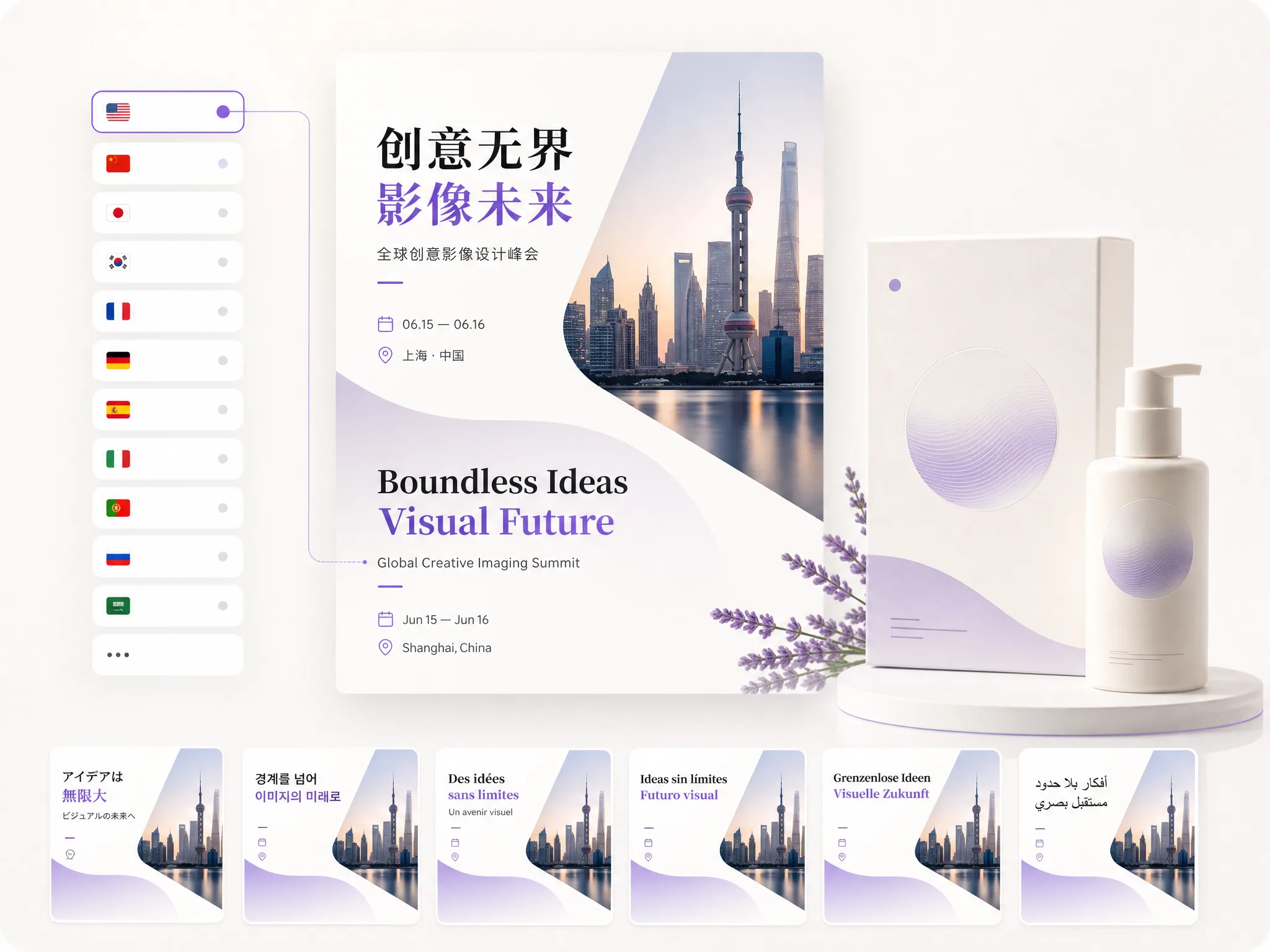
Multi-language poster example · Deep Knowledge job family · showcase still on Qwen Image X
5. Series context: 1.0 text precision → 2.0 unified quality → 3.0 “Real”
| Generation | Public theme | Rough public anchor | | --- | --- | --- | | Qwen-Image (1.0) | Complex text rendering + precise editing | Aug 2025 intro / HF model card narrative | | Qwen-Image-2.0 | Variety, completeness, beauty, authenticity; stronger production stills | Feb 2026 post | | Qwen-Image-3.0 | Real productivity layouts and micro text | July 21, 2026 post |
If you already know the series for Chinese + English in-image text, 3.0’s public story is less “first time text works” and more “can the whole board ship as one asset?”
Deep dive: who this release is for
Designers and agencies
Nested UI mockups, multi-panel pitch boards, and bilingual posters are the jobs official demos keep returning to (official blog). If your review cycle dies on “the labels are soup,” this release’s narrative is aimed at you.
Educators and course creators
Exam sheets, formula slides, and multi-panel explainers show up explicitly in the launch framing. Still treat every formula as human-checked—models can invent plausible nonsense even when glyphs look sharp.
Marketers and localization teams
Twelve-language rendering is a headline claim (official blog). Practical rule: lock layout in one language, then swap quoted strings and re-check glyph integrity per locale.
Short-drama / storyboard teams
One-pass multi-cell boards are part of the “Rich Content” pitch. A usable first pass for pacing review is a different bar from final production art—use it as a beat sheet visualizer, then refine.
Qwen Image 3 on Qwen Image X (product path)
Qwen Image X is a browser workspace focused on the Qwen Image series workflows. The primary generator for this release window is Qwen Image 3:
- Text to image and image to image in one generator surface
- Oriented to dense layouts, readable small text, and multi-language poster/UI-style stills (see the product page positioning)
- Free trial with signup credits—no card required to start; paid plans add volume and commercial licensing per site terms
- Resolution ladder on this SKU: 1K default, with 2K when a draft earns a keep
This article does not claim that every third-party host, chat demo, or research weight dump is identical. Hosted UIs differ. On this site, the action is simple: open the Qwen Image 3 generator and run your real brief.
Need sibling comparison later? Keep one prompt and re-run on Qwen Image 2 only after Image 3 has proven the layout/text contract—or start from the free tutorial below.
What We Know vs. What We Don’t
| We know (sourced) | We don’t know / won’t claim | | --- | --- | | Public launch July 21, 2026 with the “Real / Rich Content / Authentic Details / Deep Knowledge” framing (official blog) | A full open technical report + public benchmark suite comparable to earlier open-weight image releases | | Official numeric claims: ~4.5k token prompts, ~10px text, 12 languages (official blog) | That every language, font, and 4.5k-token layout will pass on the first try without refine | | Independent early hands-ons exist (e.g. GIGAZINE) and note both strengths and imperfect body copy | Pixel-perfect production for legal microcopy without a human pass | | Series history for strong text-in-image (1.0, 2.0) | That 3.0 “wins every aesthetic bake-off” against Midjourney-class style models—that is a different job | | Qwen Image X exposes a browser Qwen Image 3 path with free signup trial | Upstream reseller price tables (intentionally not compared here) |
Some launch-week commentary also notes limited public benchmarks and weight cards relative to the demo gallery. That is a known gap, not a reason to ignore the product jobs the demos target—just a reason to evaluate on your own prompts.
Why this matters for builders
- Text-in-image became table stakes; layout density is the new differentiator the 3.0 post is selling.
- Long structured prompts are no longer optional for multi-panel work—write boards like mini design briefs.
- Education, e-commerce labels, localization, and short-drama boards are named productivity lanes, not afterthoughts (official blog).
- Browser try paths beat waiting for a perfect open-source install when you only need to know if your poster survives a crop.
How to evaluate it yourself on Qwen Image X
- Open Qwen Image 3 (model preselected).
- Paste one of the three prompts below at 1K.
- Judge at 100% zoom: spelling, panel boundaries, contrast, and crop survival. If it passes, re-run at 2K and save the keeper.
- Optional: switch to image-to-image to restyle or fix a draft without restarting the whole scene.
Prompt A — 3-panel storyboard
Horizontal 3-panel storyboard on warm paper, clean ink borders, equal panel widths.
Panel 1: rainy city street at night, woman with red umbrella, small exact text "BEAT 1 — ARRIVAL" under the panel, fully legible.
Panel 2: close-up of a glowing phone screen, small exact text "BEAT 2 — THE MESSAGE" under the panel, fully legible.
Panel 3: rooftop sunrise, two silhouettes, small exact text "BEAT 3 — CHOICE" under the panel, fully legible.
No other text, no watermark, consistent line weight across panels.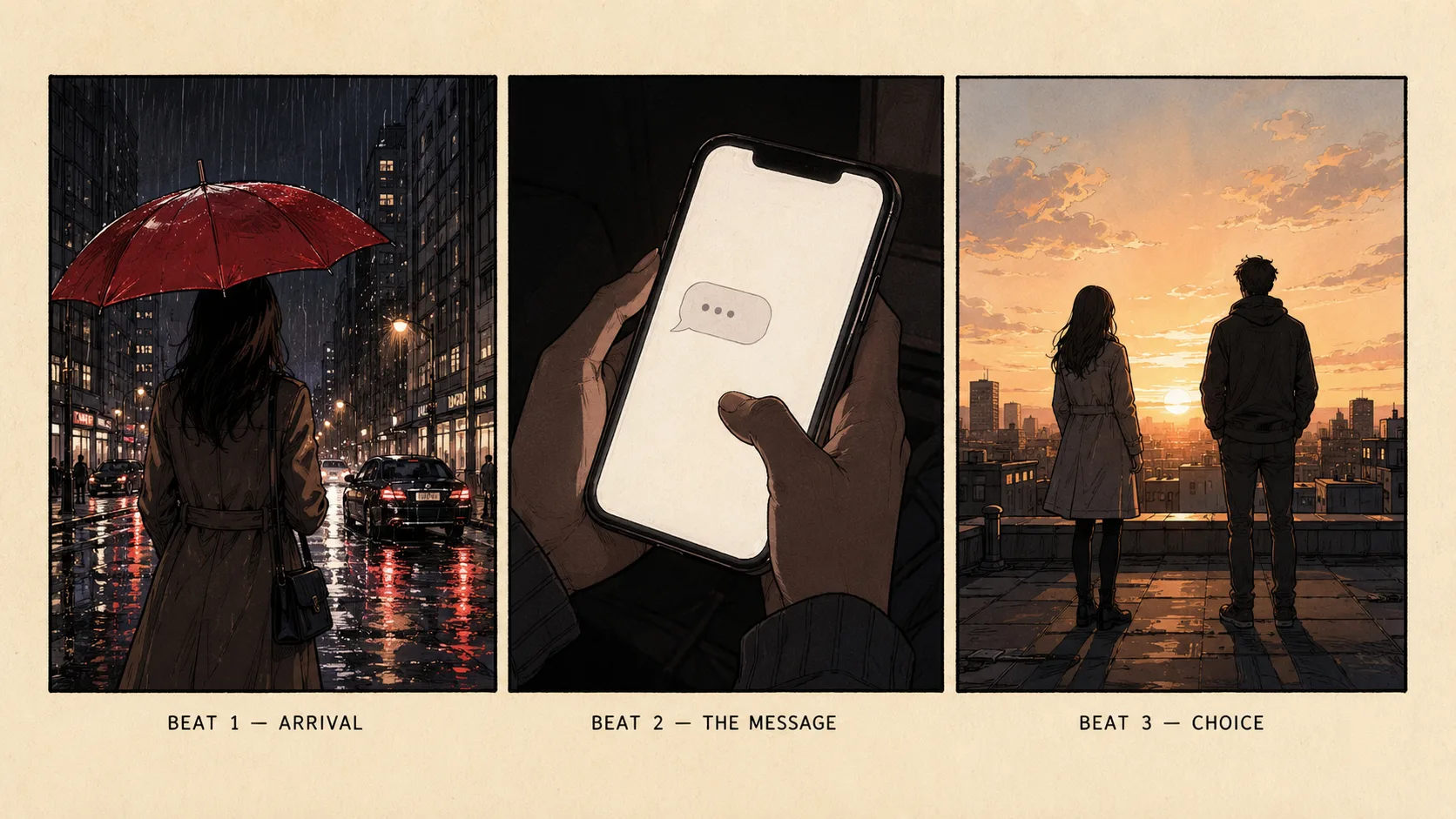
Prompt A sample · 3-panel storyboard · generated on Qwen Image X
Prompt B — bilingual poster
Vertical campaign poster, deep indigo background, soft cyan rim light, generous margins.
Large exact text "OPEN LATE" in white sans-serif, fully legible and sharp.
Under it, large exact text "深夜营业" fully legible, same visual weight.
Small exact text "FRIDAY 9PM" near the bottom, fully legible, high contrast.
No logos, no extra labels, no watermark.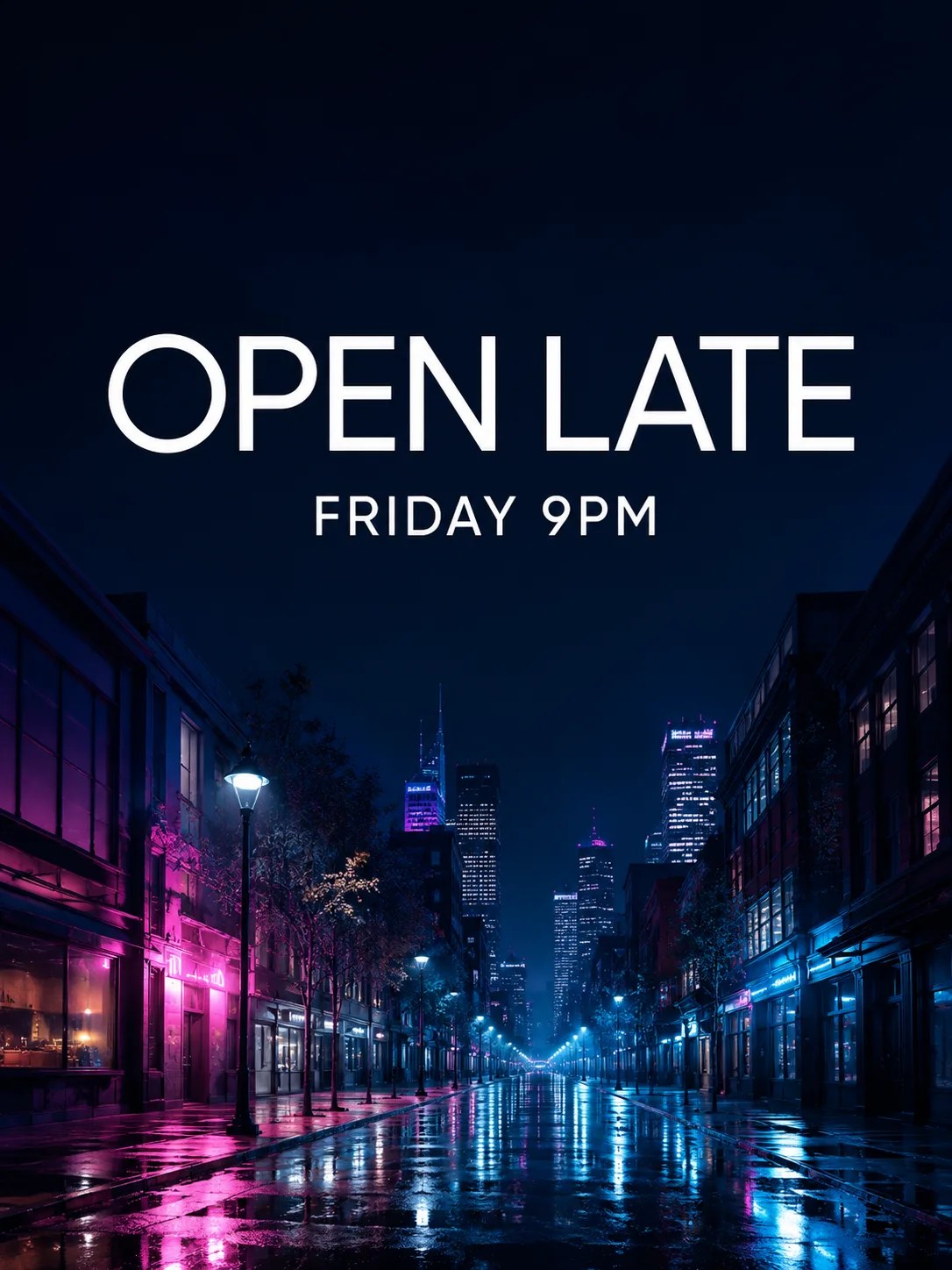
Poster type sample (OPEN LATE / FRIDAY 9PM) · generated on Qwen Image X — swap in your bilingual lines for Prompt B.
Prompt C — worksheet-style explainer
Clean educational worksheet, white background, thin gray grid, title bar at top.
Large exact text "WHALE SHARK FACTS" centered in the title bar, fully legible.
Three labeled boxes with short exact captions "SIZE", "DIET", and "HABITAT", each fully legible.
Simple diagram-friendly illustrations inside each box, high contrast labels, no watermark.
Bilingual type sample · generated on Qwen Image X — same quoted-text discipline as Prompt B/C.
Full click-path for free signup and no-card starts: How to Use Qwen Image 3 Free Online (No Card).
What to watch next
- Whether the Qwen team publishes a technical report / weight card with the same rigor as earlier open image releases.
- Independent text-in-image and multi-panel stress tests beyond launch galleries.
- How product UIs expose long-prompt and edit loops for non-research users.
- Sibling SKUs on this site (Qwen Image 2) as a faster everyday path once Image 3 has locked your layout language.
FAQ
When was Qwen Image 3.0 released?
July 21, 2026, per the official Qwen blog post Qwen-Image-3.0: Rich Content, Authentic Details, Deep Knowledge.
What is new versus Qwen Image 2.0?
Official messaging moves from 2.0’s “variety / completeness / beauty / authenticity” emphasis to 3.0’s Real productivity story: longer prompts, denser multi-panel layouts, finer micro text, and broader multi-language / UI knowledge (3.0, 2.0).
Does “4.5k tokens” mean I should write essays?
No. Use structured layout instructions—panels, exact quoted strings, typography rules—not rambling style paragraphs. Length helps when it encodes spatial contracts.
Is 10px text always perfect?
The ~10px figure is an official capability claim (official blog). Always zoom-check and refine. Dense legal footnotes still belong in real layout tools.
How many languages does it support?
The launch post states 12 languages for native rendering (official blog). Verify each locale’s glyphs before shipping.
Where can I try Qwen Image 3 free online?
On Qwen Image X: open the Qwen Image 3 generator. Signup credits cover first default-tier tries; no card is required to start. Step-by-step: free online guide.
Is Qwen Image X the same as Qwen Chat / Qwen Studio?
No. Qwen Chat / Studio is Alibaba’s product surface for trying Qwen models (official links from the launch post). Qwen Image X is an independent browser generator focused on Qwen Image series workflows, with Qwen Image 3 as the default stills path on this site.
Will this replace Figma for production systems?
No. Use it for concept boards, mock posters, storyboards, and review stills. Final spacing systems, brand kits, and legal microcopy still need design tools.
Are open weights available for 3.0?
As of launch-week public materials, the capability story is demo- and product-led. Earlier Qwen image generations had stronger open-weight trails (e.g. Qwen-Image on Hugging Face). Treat open-weight status as watch-next, not as a claim of this article.
Can I edit an existing photo?
Yes on Qwen Image X—use image-to-image on the same Qwen Image 3 page to restyle, extend, or fix text regions while keeping structure.
Should I compare against Midjourney or other aesthetic models?
Only after you define the job. If the deliverable fails when words fail, prioritize text/layout models. If the deliverable is pure style exploration, aesthetic-first tools may still win that axis. This post covers what shipped, not a global beauty ranking.