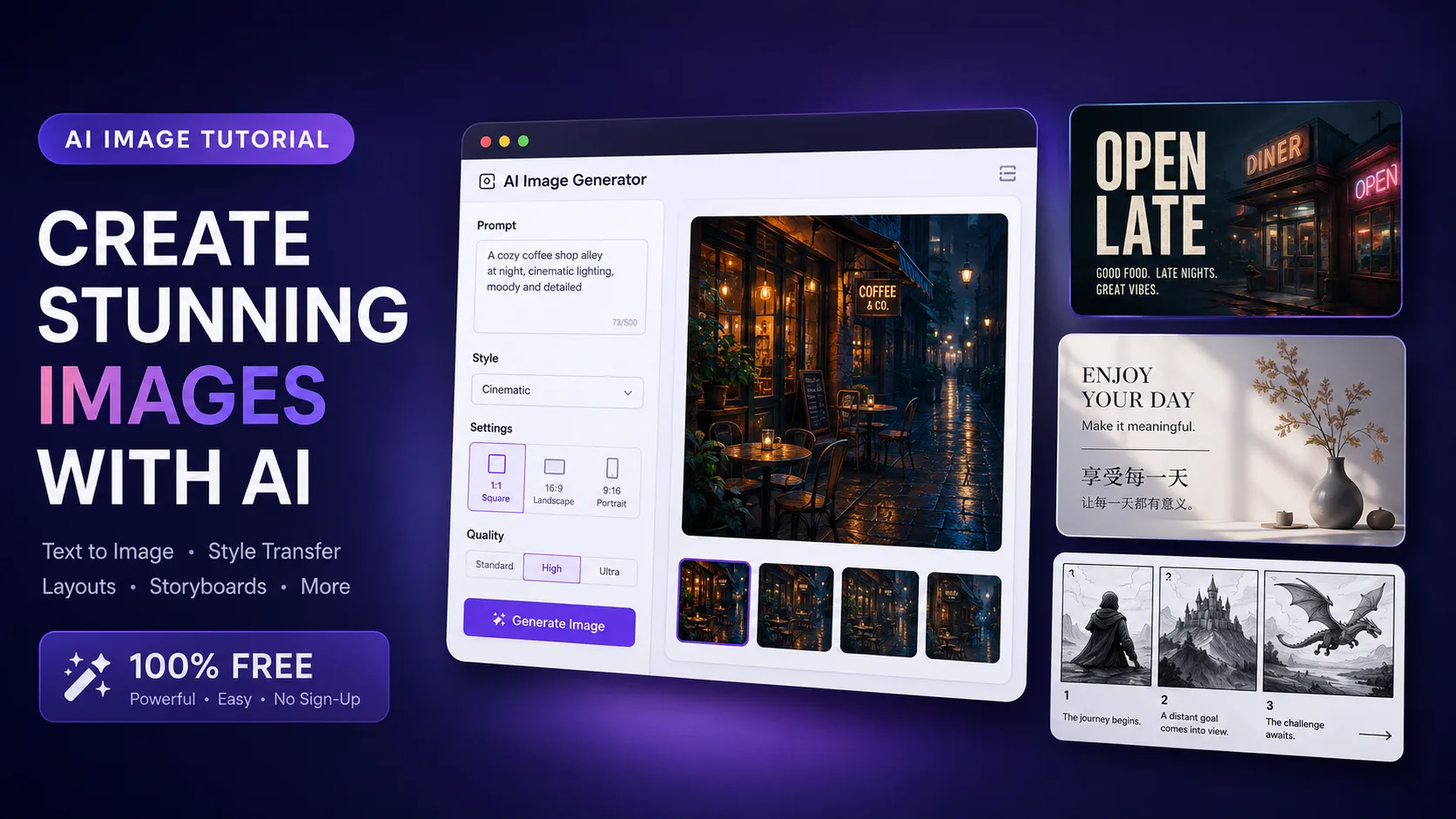
TLDR
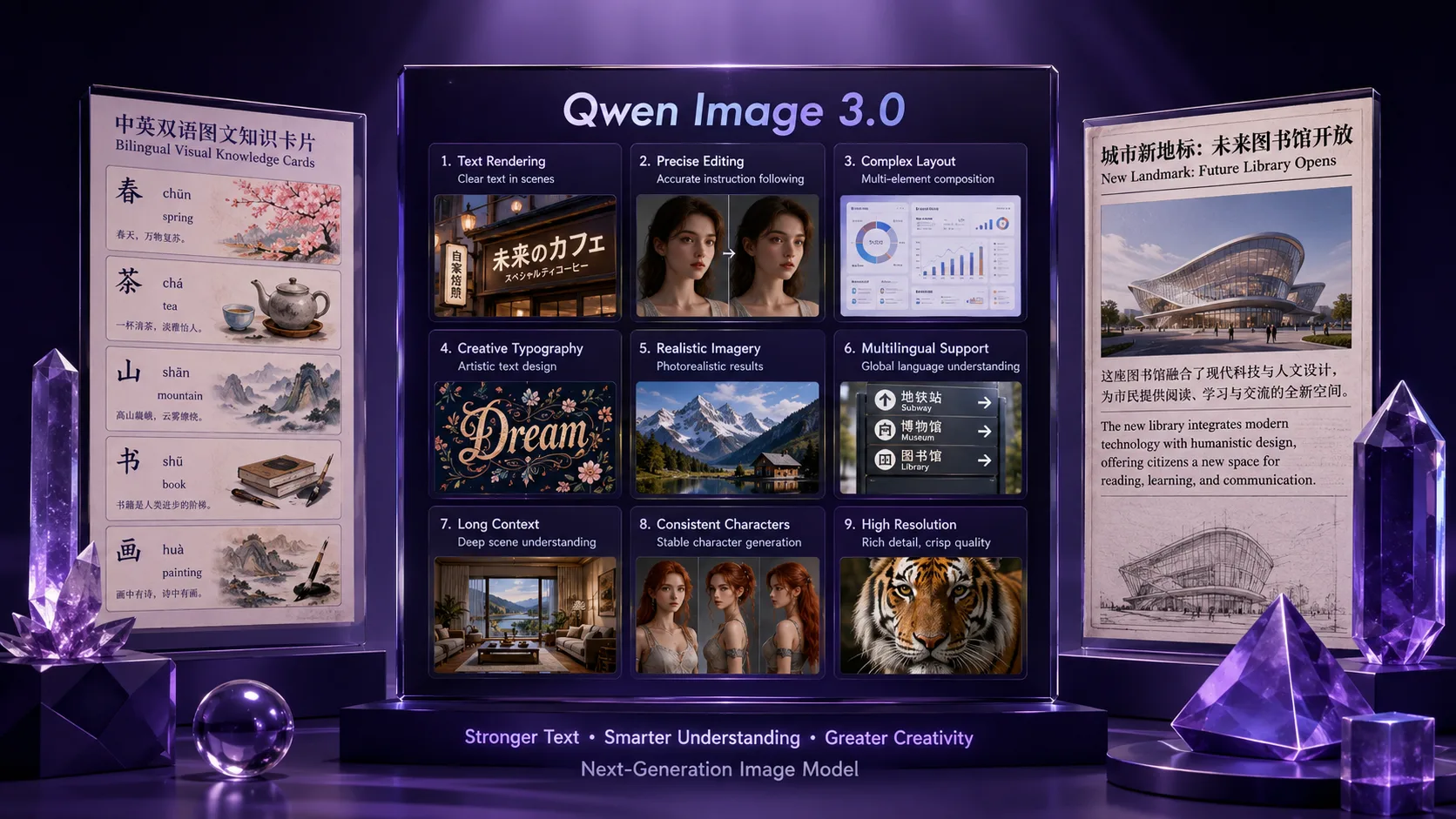
Qwen Image 3 is the better first test when your hardest requirement is a dense, organized still: a multi-panel storyboard, an infographic, a bilingual poster, or a page with small labels. Qwen’s release post emphasizes long instructions, one-pass complex layouts, fine text, and 12-language rendering (Qwen-Image-3.0).
GPT Images 2.5 is the better fit when you already have a reference photo or an almost-finished image and need careful changes across several edits. OpenAI describes its 2.5 family around reference-image fidelity, precision editing, and multi-turn consistency; its two API variants are Flare for everyday generation and Sunburst when editing precision matters most (the GPT Images 2.5 announcement).
There is no universal winner. Ask which failure would be more expensive: a board whose panels or words fall apart, or an edit that changes the person, product, or composition you meant to keep.
Key takeaways
- Choose Qwen Image 3 for structure. Its public release story is unusually specific about long prompts, multi-panel layouts, small text, and multilingual stills.
- Choose GPT Images 2.5 for controlled editing. Flare is positioned for everyday image creation; Sunburst is aimed at tighter control when you will keep editing the same image.
- Both models accept image-led workflows. The important distinction is the job: Qwen makes dense content and text a central strength, while GPT Images 2.5 puts more emphasis on preserving a reference and changing only what you asked to change.
- Do not compare marketing claims as if they were a bake-off. The public sources describe different model families and examples, not a matched Qwen-versus-GPT test on your prompt.
- For a Qwen trial here, start with Qwen Image 3 at 1K. Check exact words, panel boundaries, and the parts of the subject you need to preserve before spending more credits.
The short answer: choose by the bottleneck
“Which model is better?” is too broad to be useful. A model can be excellent at generating a new poster and still be the wrong choice for changing one line on an existing product image. Start with the output you need to protect.
| Your hardest requirement | Better first fit | Why | | -------------------------------------------------------------------------- | ----------------------------- | -------------------------------------------------------------------------------------------------- | | A 3×3 board, storyboard, worksheet, or infographic in one still | Qwen Image 3 | Its release materials center on rich, multi-region content and long, structured instructions. | | Small labels, formulas, or multilingual poster text | Qwen Image 3 | The public Qwen examples specifically call out fine text and native rendering across 12 languages. | | An everyday still from a prompt or a reference photo | GPT Images 2.5 Flare | OpenAI positions Flare as the everyday 2.5 option for generation and image-input workflows. | | A product, person, or composition that must survive several targeted edits | GPT Images 2.5 Sunburst | Sunburst is positioned for workflows where editing precision matters most. | | A new concept where both layout and editability matter | Test both with one prompt | Score the failure that affects your deliverable instead of using a global “best” label. |
This table is a decision aid, not a measured ranking. “Better fit” means that the model’s documented emphasis matches the job; it does not guarantee a perfect first result.
Flare and Sunburst are API model names, not two choices in the ChatGPT interface. If you use ChatGPT, apply the family-level Images 2.5 guidance below instead of looking for either name as a ChatGPT setting.
What Qwen Image 3 is built to do
Qwen-Image-3.0’s public release describes three connected ideas: Rich Content, Authentic Details, and Deep Knowledge. Together, they make Qwen Image 3 interesting for stills that behave more like designed information than like a single subject on a background.
1. Put more of the layout in the brief
The Qwen release says the model accepts up to about 4.5k tokens and shows a complex 3×3 visual board generated in one pass rather than assembled from nine separate images. That is useful when the relationship between regions matters: each cell needs its own subject, label, diagram, or visual beat, while the whole canvas still needs a readable hierarchy.
The practical lesson is not “write the longest prompt possible.” It is to describe the canvas as a layout. Say what each panel does, where the headline goes, which elements repeat, and what must not appear. A short mood phrase cannot replace those relationships.
One important condition: a model-level input claim does not prove that every hosted interface exposes the same limit. Keep your browser prompt within the limit shown by the generator you are using, and compress the brief around the elements that affect the final image.
2. Treat small text as a requirement to inspect
Qwen’s release materials call out text as small as about 10px, academic-style formulas, newspaper columns, and dense annotations. That makes it a sensible first candidate for a poster, worksheet, menu, or UI-style mockup where words are part of the picture rather than decoration (the Qwen release post).
The number is a public capability claim, not a promise that every string will be perfect. Zoom to 100 percent. Check spelling, punctuation, subscripts, line breaks, and whether a crop removes the label that gives the panel meaning. If the words are legally or commercially important, keep a real layout tool and a human proofread in the workflow.
3. Use multilingual rendering with a proofing loop
Qwen also describes native rendering across 12 languages, multiple fonts, and interface-like layouts. That is valuable for a bilingual campaign card or an explainer that needs more than one script on the same canvas. It does not remove the need to proof each language: a headline can look convincing while a small body line contains a wrong character.
For a multilingual brief, lock the layout first. Keep each language’s exact strings in your notes, ask for them explicitly, and compare the result against those strings. If the layout is right but one line is wrong, an image-to-image pass may be worth trying; if the whole hierarchy is wrong, revise the source brief instead.
What GPT Images 2.5 is built to do
OpenAI’s public description of GPT Images 2.5 focuses less on a single layout headline and more on the edit loop: preserve a recognizable reference, make a local change, and carry earlier changes forward across multiple turns. The two documented variants have different roles.
Flare: the everyday 2.5 starting point
OpenAI describes GPT-Image-2.5 Flare as its everyday image-generation model. It accepts text and image inputs, so it can start from a prompt or a reference-led request. That makes it a reasonable first candidate for social assets, product concepts, and quick visual iterations where you need good generation plus an edit path (the Flare model page).
The useful distinction is role, not a promise of a particular render time. Start with Flare when the brief is new or you are still discovering the direction. Move to a precision-oriented workflow when the image is close enough that preserving the good parts matters more than exploring a new composition.
Sunburst: when the edit itself is the hard part
OpenAI positions GPT-Image-2.5 Sunburst for workflows where editing precision matters most. Its model page describes text-and-image generation and editing, including the same general input pattern as Flare. The announcement also places Sunburst in detailed creative work with longer generation times (the Sunburst model page).
That points to a different kind of prompt. Instead of asking for an entirely new scene, identify the one element to change and name what must remain: “replace the background; preserve the subject, camera angle, lighting, and label.” This is a useful editing discipline for any model, but it matches the problem GPT Images 2.5 highlights most clearly.
Multi-turn consistency is a workflow advantage, not a guarantee
OpenAI says Images 2.5 follows specific editing instructions more reliably across multiple turns and is more likely to keep earlier changes consistent. That matters when an asset moves through review: first adjust the background, then the product color, then one line of copy.
Still inspect every turn. “More likely to preserve” is not “will never drift.” Save the previous keeper, compare the new output to it, and stop editing when a later improvement costs more identity than it adds polish.
The clearest difference: layout-first vs edit-first
The two families overlap. Both can generate a new image, work from image input, and render visual instructions. The distinction becomes clearer when you write down the first thing that can make the deliverable unusable.
If the failure is spatial, start with Qwen Image 3
Imagine a nine-cell educational board. Each cell has a different visual explanation, the title needs to sit above the grid, and the reader must understand the order at a glance. The main risk is not only image quality; it is that the panels merge, labels land in the wrong cell, or the hierarchy collapses.
Qwen Image 3’s documented emphasis on rich content and structured layout makes it the natural first trial. Describe the canvas in regions, give each region a short job, and keep exact text concise enough to inspect. If the result is close, use image-to-image to refine a draft rather than changing the entire brief.
If the failure is identity, start with GPT Images 2.5
Now imagine a product photograph that is nearly ready. You want the same bottle, angle, and brand treatment, but with a different background and one updated line. The risk is that a full regeneration changes the bottle shape, lighting, or composition along with the requested edit.
GPT Images 2.5’s public positioning makes this edit loop its strongest reason to consider it. Start from the reference, state the target change, list the important invariants, and compare each turn with the previous keeper. Sunburst is the more natural 2.5 variant when precision across edits is the deciding factor; Flare is the everyday starting point.
Neither example proves that the other model will fail. They show why a useful comparison starts with the cost of failure, not with a model leaderboard.
A fair test you can run on your own brief
There is no controlled Qwen-versus-GPT result in this article. If the choice affects a real project, use the same test brief and score both outputs against the job.
Use one prompt with two kinds of requirements
Include a small amount of exact text, one clear layout relationship, and one element that must remain recognizable. For example:
Create a horizontal three-panel product story card on warm paper.
Panel 1: a sealed tea tin on a kitchen counter.
Panel 2: the same tin beside loose tea leaves.
Panel 3: the tin beside a filled cup.
Place the exact headline "BREW SLOW" above the panels and the exact line "THREE STEPS" below them.
Use one consistent tin design in all panels, clean borders, generous margins, high contrast, no extra text, no watermark.
This is a test prompt, not a report of an output. Keep the wording and aspect ratio fixed. If one interface uses different controls, record that condition instead of pretending the runs were identical.
Score the things your viewer will notice
- Exact text: Are “BREW SLOW” and “THREE STEPS” spelled correctly and placed once?
- Panel structure: Do the three scenes remain distinct, with the intended order?
- Subject identity: Does the tea tin keep the same recognizable design across the card?
- Editability: If you ask for a single change, does the rest of the image remain useful?
- Crop survival: Does the headline, product, and final panel survive the target aspect ratio?
Do not average these into one vague quality score. A model that wins on style but fails the one required label has not solved that particular brief.
Try the Qwen side of the comparison
On Qwen Image X, Qwen Image 3 is the direct browser path for the Qwen side of this comparison. It supports text-to-image and image-to-image, starts at 1K for exploration, and offers 2K when a draft is worth finishing. Signup credits provide a free start without requiring a card; this is a trial path, not an unlimited free plan.
Start with the test prompt or with your real storyboard, poster, worksheet, or product brief. At 100 percent zoom, inspect the words and layout before deciding whether the image earned a second pass. If the dense-content contract holds, keep the result; if not, shorten the text, clarify the regions, or switch to a real design tool for the parts that need deterministic typesetting.
What we know—and what we do not
| We know | We do not claim | | ---------------------------------------------------------------------------------------------------------------------------------------------------------------------------------------------------------------------------------------------- | ----------------------------------------------------------------------------------------------------------------------------------------------- | | Qwen’s July 2026 release describes Rich Content, Authentic Details, Deep Knowledge, up to about 4.5k-token input, about 10px text, and 12 languages (Qwen). | That every hosted Qwen interface exposes the same prompt limit or that every language passes on the first run. | | OpenAI’s September 2026 announcement describes Images 2.5 around reference fidelity, precision editing, and multi-turn consistency, with Flare and Sunburst API variants (OpenAI). | That an official product example is a controlled result from your interface, or that GPT Images 2.5 wins every aesthetic or layout test. | | Qwen Image 3 on Qwen Image X provides a browser path for text-to-image and image-to-image workflows, with 1K exploration and a 2K finishing tier. | That this Qwen Image X article provides a GPT Images 2.5 run or that both families have identical controls, limits, and terms in every product. | | A same-prompt test can reveal which failure matters more for your job. | A single prompt, anecdote, or public model description is a benchmark of overall quality. |
FAQ
Is Qwen Image 3 better than GPT Images 2.5?
Not for every job. Start with Qwen Image 3 when dense layout, small text, or multilingual regions are the bottleneck. Start with GPT Images 2.5 when you need careful reference-photo edits and several targeted turns. Run the same brief if both requirements matter.
Which model is better for text in images?
Qwen Image 3 is the more direct first test for dense, small, or multilingual text because those are explicit themes in its public release. GPT Images 2.5 also supports complex visual instructions and editing copy in an existing image. In either case, proofread at 100 percent; neither a capability claim nor a pretty thumbnail replaces a text check.
Which model is better for editing an existing photo?
Both families support image-led workflows. Qwen Image X exposes image-to-image on its Qwen Image 3 generator. GPT Images 2.5’s public positioning puts extra emphasis on preserving reference subjects and making precise changes across turns. Choose the one whose edit behavior passes your own keep-the-subject test.
Does Qwen Image 3 really support 4.5k-token prompts?
The Qwen-Image-3.0 release describes input of up to about 4.5k tokens at the model level. A hosted generator can impose a different prompt limit, so follow the limit shown in the interface you are using. On Qwen Image X, make the brief structured and concise enough for the current prompt box, then check the rendered regions instead of chasing a token count.
Which GPT Images 2.5 variant should I choose?
Flare and Sunburst are API model names, not two choices that ChatGPT users can select in the ChatGPT product. If you use ChatGPT, follow the family-level Images 2.5 guidance: start with Images 2.5 for a new concept, and use its image-editing workflow when preserving a good image across several edits matters. If you use an API integration that exposes these names, Flare is the everyday starting point and Sunburst is the precision-oriented option. Treat both as starting guidance, not a guarantee.
Can I try Qwen Image 3 online?
Yes. Open the Qwen Image 3 generator on Qwen Image X. Signup credits cover a free start without a card, and the generator offers text-to-image and image-to-image. Free access and commercial terms can change, so check the current product and plan details before using an output for paid work.
Does this article compare prices for the two models?
No. Hosted products expose different plans, credits, limits, and terms, so a cross-site price table would not be a clean model comparison. The useful first decision is whether your brief needs dense layout and text handling or a controlled edit loop.